
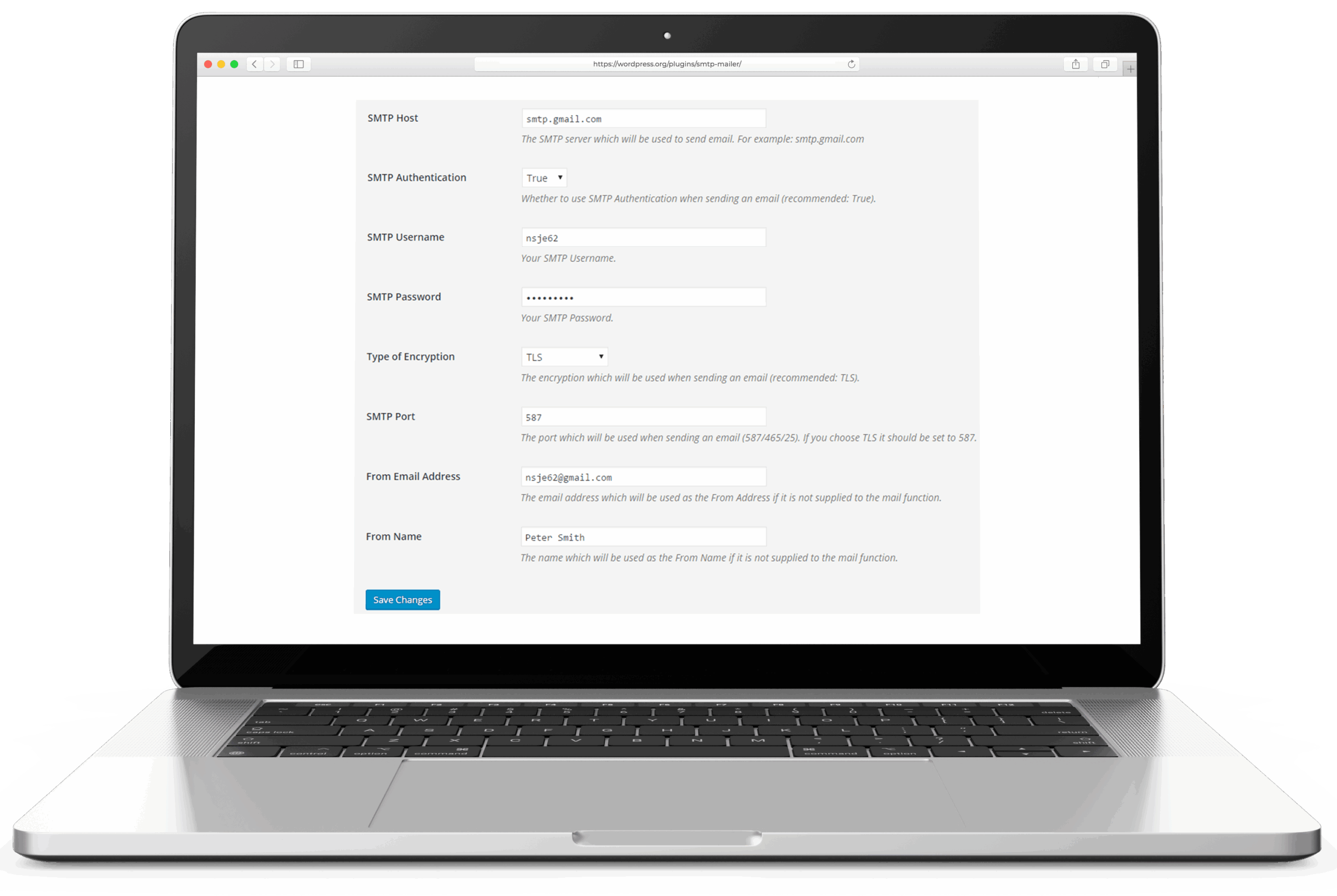
Post SMTP is WPExperts’ WordPress mailer plugin. It replaces WordPress’s default wp_mail() with authenticated SMTP or a provider API, the same job WP Mail SMTP and FluentSMTP do. The category-distinguishing feature is the failure-alerting layer: when a send fails, Post SMTP can push the alert to a mobile app, a Chrome extension, Slack, Microsoft Teams, Twilio SMS, or a webhook. None of the direct competitors cover that breadth of failure channels in the free plugin.
The plugin was first published to wp.org in October 2017 by Saad Iqbal and is now maintained by  WPExperts. The wp.org listing reports 300,000+ active installs at a 4.7 rating across 525 reviews, current version 4.0.1 (released August 2026), tested up to WordPress 7.0.4. The free version is on the wordpress.org repository; a three-tier annual Pro subscription is sold separately at postmansmtp.com.
The short recommendation: Post SMTP is the right pick for an operator who wants push-to-phone alerts on failed mail without paying for WP Mail SMTP Pro to get them. Operators monitoring a site at 11pm get a push notification on a phone they were already going to look at, instead of an email in an inbox they were not. For sites that want per-from-address routing across multiple mailers, FluentSMTP remains the recommendation. For sites that want the largest free mailer catalogue and a paid support SLA, WP Mail SMTP remains the recommendation.
What the free version includes
Everything below ships in the wordpress.org plugin at no cost:
- 3-step setup wizard that auto-detects SMTP settings, accepts credentials or an OAuth flow, and runs a test send before saving.
- OAuth 2.0 for Gmail / Google Workspace and Microsoft 365 / Outlook. Less Secure App (LSA) access was Google's name for the third-party authentication path that used a plain account password against Gmail's SMTP, IMAP, and POP endpoints. Google shut it down for consumer accounts on 30 May 2022 and for Workspace accounts on 1 May 2025; OAuth, App Passwords, or a different sending provider replace it. Read full reference → are not required for either provider. The free Microsoft 365 / Outlook OAuth integration is the one piece of category geography most worth knowing: WP Mail SMTP gates Microsoft 365 / Outlook.com behind its Pro tier at $49/year, and Post SMTP exposes it without payment. For Microsoft 365 shops the choice is often decided there. See the Google OAuth credentials walkthrough for the Gmail setup steps.
- Email logging with filterable search across recipient, subject, status, and timestamp. Failed sends can be resent from the log.
- Backup SMTP connection that takes over when the primary fails.
- Failure notifications to: the Post SMTP mobile app (iOS and Android push), the Chrome extension, Slack, Microsoft Teams, Twilio SMS, and arbitrary webhooks.
- SPF, DKIM, and DMARC diagnostic checks run from the settings screen to flag misconfigured DNS before mail starts bouncing.
Mail is sent in real time; there is no in-plugin Action Scheduler queue, so timeout-sized bursts have to be handled provider-side.
The WP mail config generator takes a provider API key or SMTP credential pair and returns a paste-ready block for Post SMTP’s mailer settings, so the setup wizard’s credential step becomes copy-paste. The DNS auth checker reads how the chosen provider’s SPF include and DKIM records resolve from the receiver’s perspective, adding a receiver-side view to Post SMTP’s in-plugin SPF/DKIM/DMARC diagnostics.
The mobile app, concretely
The Post SMTP mobile app is a separate iOS and Android download (free) that pairs to one or more WordPress sites running the plugin. Out of the box it surfaces a live email log, push notifications on failed sends, and error details. Two capabilities are Pro-gated on the app side: one-tap resend of a failed message, and connecting more than one site to a single device. Operators who want a phone notification when transactional mail breaks get it in the free tier; operators who want to act on it from the phone, or monitor an estate of client sites from one device, need the subscription.
Native mailer integrations
The free plugin ships native API integrations with the following providers, plus a generic SMTP option for anything else:
Amazon SES, SendGrid, Mailgun, Postmark, Brevo, SparkPost, SMTP2GO, Elastic Email, Mailjet, Resend, Zoho Mail, Gmail / Google Workspace, SMTP.com, Mandrill, plus Mailtrap, Sweego, MailerSend, Cloudflare Email Sending, and Microsoft 365 / Outlook.
Pro tiers
Pro is sold as three annual tiers plus a lifetime option, with a 14-day money-back guarantee. Verified against postmansmtp.com/pricing on 2026-08-11:
| Tier | Price | Adds on top of free |
|---|---|---|
| Basic | $59.99/year | All Pro mailer integrations, Gmail one-click setup, standard support |
| Professional | $79.99/year | Advanced delivery features, bulk email resend from the log, priority support |
| Business | $99.99/year | Microsoft one-click setup, MS Teams notifications, mobile app premium features, expert-assisted setup |
The tier matrix is less granular than WP Mail SMTP Pro’s published feature table; the marketing copy does not name which specific Pro mailers each tier unlocks. Operators returning to Post SMTP after a multi-year gap may remember the older per-extension product line (Office365 API, SES API, Twilio Pro extensions sold separately). That model is gone; the features are inside the three tiers above.
Where Post SMTP is weaker
Three limitations matter for a buying decision.
- No per-from-address routing. Post SMTP supports primary plus fallback; the Pro secondary connection covers auto-routing when a send fails, not steering by sender. FluentSMTP and WP Mail SMTP Pro both support routing rules that send different from-addresses through different mailers. Sites that send transactional mail from
noreply@and marketing mail fromnews@and want them on separate providers will find Post SMTP’s connection model too narrow. - No background queue. High-volume sends share the request lifecycle with the page that triggered them; large bursts can hit PHP timeout limits. Pro adds “Email Batching and Quota Scheduling,” but that is rate-limiting, not asynchronous queueing.
- Smaller installed base than the leaders. 300,000+ active installs is substantial, but WP Mail SMTP reports 4 million and FluentSMTP reports 600,000. For agencies betting on a single plugin across many client sites, the larger installed base is a hedge.
Assessment
Post SMTP is nanoPost’s recommendation for WordPress sites that want phone-push alerts on transactional-email failure and do not want to subscribe to WP Mail SMTP Pro to get them. The mobile-app channel is genuine product differentiation: it is the only mailer plugin in the leading three that ships a first-party mobile alert path, and combined with the free Outlook OAuth integration it covers two reader needs the competitors charge for.
FluentSMTP is the better default for sites that want logging, fallback, and per-from-address routing without paying for any of them and do not need the mobile-alert layer. WP Mail SMTP remains the right choice for sites that want the widest free mailer catalogue, the most polished setup wizard, or a paid support contract.
For operators who need the alert about broken email to reach a phone, not an inbox, Post SMTP is the plugin.
For the broader setup the plugin slots into, see how to set up WordPress email.
Plugin data verified September 2026 against  wordpress.org/plugins/post-smtp and postmansmtp.com. Tested against version 4.0.1. Pricing tiers unchanged since the August review; SMTP.com and Cloudflare Email Sending were added as native mailers in 3.10.0 (August 2026).