
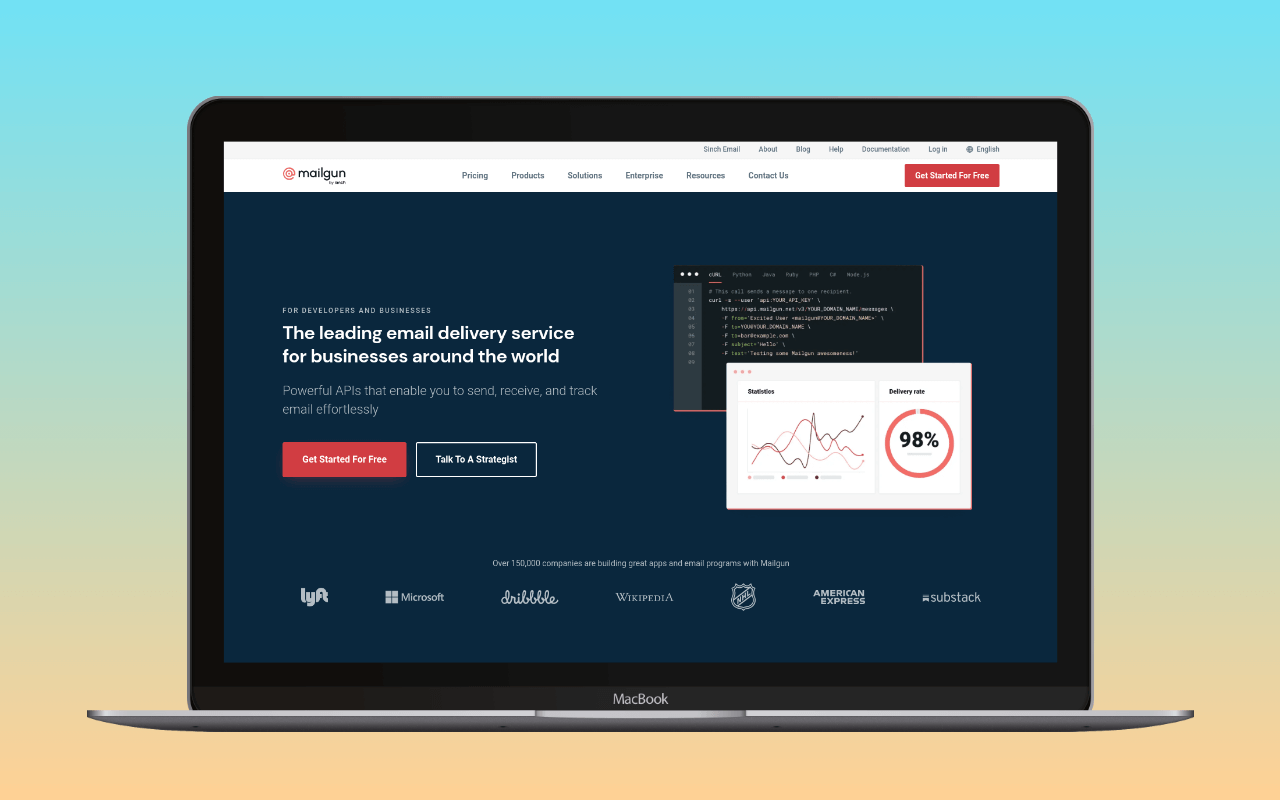
Mailgun is mature developer-focused email infrastructure for transactional email: HTTP API and SMTP relay for outbound, inbound routing for reply-parsing and one-click actions, an email validation API, and granular event webhooks (delivered, opened, clicked, bounced, complained, unsubscribed). The permanent free tier covers 100 emails/day with one custom domain and API access; paid pricing starts at $15/month for 10,000. It was founded in 2010 and acquired by Sinch in 2021, and remains one of the reference implementations of API-first transactional email.
Mailgun works with WordPress three ways: an  official Mailgun plugin that sends through the API by default, the built-in Mailgun mailers in the main SMTP plugins (WP Mail SMTP, FluentSMTP, Post SMTP, Easy WP SMTP and SureMails), and standard SMTP for any other mailer plugin. The per-domain credential model, the inbound routing engine, and the send-time event webhooks are the parts that distinguish Mailgun from a bare relay; they are the reason to reach for it.
Where Mailgun fits
High-volume developer-led projects. WordPress installs that are one part of a larger application (a headless build, a WooCommerce site backed by an API, a membership platform with a companion mobile app) can consolidate sending across the whole stack on one Mailgun account. The API-first design and per-message event webhooks match how application developers already think about email.
Sites that want inbound routing and validation on the same platform. Mailgun’s inbound routing accepts email at a subdomain and forwards it to a URL, a mailbox, or a stored message queue – useful for reply-parsing on notifications, ticket ingestion, or one-click email actions. Its email validation API scores addresses before you send. A site that needs either of these alongside outbound sending gets them on the same account, with the same credentials, and the same billing.
Agencies that run per-domain sending reputation. Mailgun’s credentials are per sending domain rather than per account, and Foundation and Scale plans include up to 1,000 sending domains. An agency running many client sites can isolate reputation per client without spinning up separate provider accounts, and per-domain webhooks feed each client’s own logging.
SMTP settings
| Setting | Value |
|---|---|
| Host | smtp.mailgun.org |
| Port | 587 (TLS/STARTTLS, recommended) |
| Encryption | TLS |
| Authentication | Login |
| Username | Domain-specific (found in Mailgun dashboard under your sending domain) |
| Password | Domain-specific SMTP password (not the account API key) |
Alternative ports: 465 (SSL) and 2525 (if your host blocks 587).
Mailgun uses per-domain SMTP credentials, not account-level credentials. Each sending domain has its own username and password, which you find in the Mailgun dashboard under the domain’s settings. Add Mailgun’s SPF and DKIM records to your domain’s DNS before sending production email. If the domain already carries a forwarding include or another sender in its SPF record, the SPF merger folds include:mailgun.org into the existing string and counts the DNS lookups against RFC 7208’s ten-lookup ceiling before you publish. Once records are live, the DNS auth checker reads Mailgun’s SPF include and DKIM CNAMEs the way receivers resolve them, so you can catch a stale nameserver or a mistyped selector before switching production traffic. After that, verify with swaks that messages authenticate correctly.
Pricing
Mailgun runs a permanent free plan capped at 100 emails/day. That is roughly 3,000/month, useful for a low-traffic informational site or for evaluation. Above that, every additional email goes to a paid plan.
| Plan | Price | Volume | Key inclusions |
|---|---|---|---|
| Free | $0/mo | 100 emails/day (~3,000/mo) | RESTful API, SMTP, 1 custom domain, tracking |
| Basic | $15/mo | 10,000 emails/mo | Webhooks, 1 custom domain, 2 API keys |
| Foundation | $35/mo | 50,000 emails/mo | Email templates, 1,000 sending domains, 5-day log retention |
| Scale | $90/mo | 100,000 emails/mo | 5,000 email validations, dedicated IP, send time optimisation, 30-day logs |
| Enterprise | Custom | Custom | SLA, dedicated support, custom infrastructure |
Overages on paid plans are billed pay-as-you-go: $1.80/1,000 on Basic, declining to $1.10/1,000 on Scale.
For context on where Mailgun’s paid entry sits: a site sending 500 transactional emails per month fits inside Mailgun’s free 100/day allowance. A site doing 12,000/month would pay $15/month on Basic. For the same outbound-only delivery need, Postmark is $15/10K and SMTP2GO’s Starter is $10/10K; both are cheaper if outbound is all a site needs. Mailgun’s $15 also buys the inbound routing and email validation capabilities that a typical WordPress site does not exercise. On the free-tier axis, 500/month costs nothing on Brevo’s free tier (300/day) or SMTP2GO’s free tier (1,000/month, 200/day cap), and approximately $0.50/month on Amazon SES ($0.10/1,000).
Mailgun’s free tier is daily-rate-shaped rather than monthly-cap-shaped: an evening burst of 150 password resets exhausts the day’s allowance even if the monthly average is well under the cap.
The SMTP cost calculator compares monthly cost across Mailgun, Postmark, SMTP2GO, Amazon SES, and the rest at whatever volume the site actually sends, including Mailgun’s per-1,000 overage on the paid tiers.
Free tier
The free tier is permanent. 100 emails/day (approximately 3,000/month) with full RESTful API and SMTP access, one custom sending domain, and Mailgun’s tracking dashboard. No trial expiry – Mailgun rewrote its free tier as a permanent tier in 2024, replacing the earlier trial-only framing this review previously used.
The exclusions matter for planning. Webhooks are on Basic and up, email templates are on Foundation, log retention is 5 days on Foundation and 30 on Scale, and email validation is a Scale-tier feature. At the free tier a WordPress operator gets sending and the dashboard, not the developer-tooling capabilities Mailgun is priced for. Sending stays on Mailgun’s shared IP pool. The catch buried in the shape: 100/day is a daily bucket, not a monthly average. An evening password-reset burst of 150 messages exhausts the day and the next 50 are rejected until the daily window rolls, even on a site that averages 30/day the rest of the month.
The tier fits a low-traffic informational site (a blog with contact form, a five-page business site) that never approaches the 100/day ceiling, or an evaluation account for a developer sizing up Mailgun before committing to Basic. It does not fit a WooCommerce store or membership site whose busy days routinely produce more than 100 messages; a single flash sale or an activation-day membership import breaks it.
WordPress integration
The WP mail config generator takes a Mailgun sending domain and API key and returns a paste-ready block for the plugin you pick below, so the choice becomes which plugin, not which fields to populate.
Three paths:
Official Mailgun plugin – The Mailgun for WordPress plugin uses Mailgun’s HTTP API by default (not SMTP). Enter your API key and sending domain, and the plugin replaces wp_mail() to route all WordPress email through Mailgun’s API endpoint. API mode is generally more reliable than SMTP on hosts that restrict outbound connections, since it uses standard HTTPS rather than SMTP ports. See our list of WordPress plugins that connect to Mailgun for other compatible options.
A mailer plugin’s Mailgun mailer – WP Mail SMTP, FluentSMTP, Post SMTP, Easy WP SMTP and SureMails each ship a dedicated Mailgun mailer in the free plugin. Select Mailgun as the mailer and enter the API key, sending domain, and region. This is the better choice if you want the plugin’s email logging, fallback connections, or alerts alongside Mailgun’s sending infrastructure; FluentSMTP and Post SMTP log email for free, WP Mail SMTP keeps logging for Pro.
Generic SMTP – Any mailer plugin, including one without a Mailgun mailer or one of the above in its “Other SMTP” mode, can connect to smtp.mailgun.org using the credentials above. This is the lowest-common-denominator path; it works everywhere but does not use Mailgun’s API features.
Inbound routing
Mailgun’s inbound side is called Routes. A route is a filter plus one or more actions: point the domain’s MX records at Mailgun, add a route, and every message that matches the filter fires the actions in priority order.
Three filter forms cover the common cases:
match_recipient("[email protected]")– a specific address or regexmatch_header("subject", "^\\[ticket\\]")– any header, matched by regexcatch_all()– everything not caught by higher-priority routes
Three actions handle what happens next:
forward("[email protected]")– forward the message to another addressforward("https://yourdomain.com/inbound-hook")– POST a parsed version to a webhook (subject, sender, recipient,body-plain,body-html, stripped signature, JSON headers, attachments, and a signed timestamp/token pair for verification); Mailgun retries failed POSTs for up to 8 hours unless you return HTTP 406store(notify="https://yourdomain.com/hook")– hold the message in Mailgun for up to three days and optionally notify a URL; useful when the receiver needs the raw MIME rather than parsed fieldsstop()– halt further route processing
The route quota is what changes per plan, not the feature set:
| Plan | Included routes |
|---|---|
| Free | 1 |
| Basic | 5 |
| Foundation | Full access |
| Scale | Full access |
For a WordPress site the practical shapes are: forward contact@ to a helpdesk or shared inbox without paying for a mailbox host; POST replies to a webhook so a plugin (contact form, CRM, membership) can parse the message and file it against the right record; ingest inbound tickets straight into a support tool. Routes replace the mailbox layer in workflows where the endpoint is code, not a human reader.
Mailgun Routes is not a replacement for a personal forwarding service like ImprovMX, Forward Email, or Cloudflare Email Routing. Those exist to move [email protected] into your existing Gmail with two MX records and no account beyond the forwarder. Routes exists to hand inbound mail to an application, on a Mailgun account you already have for outbound.
Verdict
Mailgun’s fit case is developer-led WordPress projects, agencies isolating sending reputation per client domain, and any site that wants inbound routing or email validation on the same platform as outbound. The per-domain credential model, the API-first design, the 1,000 sending domains on Foundation and above, and the inbound routing engine are its distinguishing features, and $15/mo covers all of them at 10,000 messages. At Foundation volumes (50K+ /mo), the pricing tightens further and Scale-tier features (dedicated IP, send-time optimisation, 5,000 monthly validations) start to matter.
Other shapes have other homes. A WordPress site that only needs outbound transactional email finds cheaper delivery-per-dollar on Postmark ($15/10K, transactional focus and high deliverability) or SMTP2GO ($10/10K, plain SMTP relay). A site that also needs newsletter or marketing email can consolidate on Brevo. AWS-native stacks route through Amazon SES at $0.10/1K. A WordPress-only operation with no external stack to unify may prefer a WordPress-native sending service whose interface lives inside wp-admin.
For the broader setup that places Mailgun inside the WordPress email stack, see the WordPress email setup guide.
Pricing and inbound routing details verified 2026-09-03 against mailgun.com/pricing and Mailgun’s Routes documentation. SMTP settings verified against Mailgun documentation. WordPress plugin paths checked 2026-10-23 against the plugins’ source code.
Corrections
- 2026-10-21: an earlier version said Sinch acquired Mailgun in 2020. Sinch announced the Pathwire (Mailgun and Mailjet) deal in September 2021 and closed it in December 2021.
- 2026-10-23: an earlier version named WP Mail SMTP as the only mailer plugin with a native Mailgun integration and listed FluentSMTP and Post SMTP under generic SMTP; FluentSMTP, Post SMTP, Easy WP SMTP and SureMails also ship Mailgun mailers.