
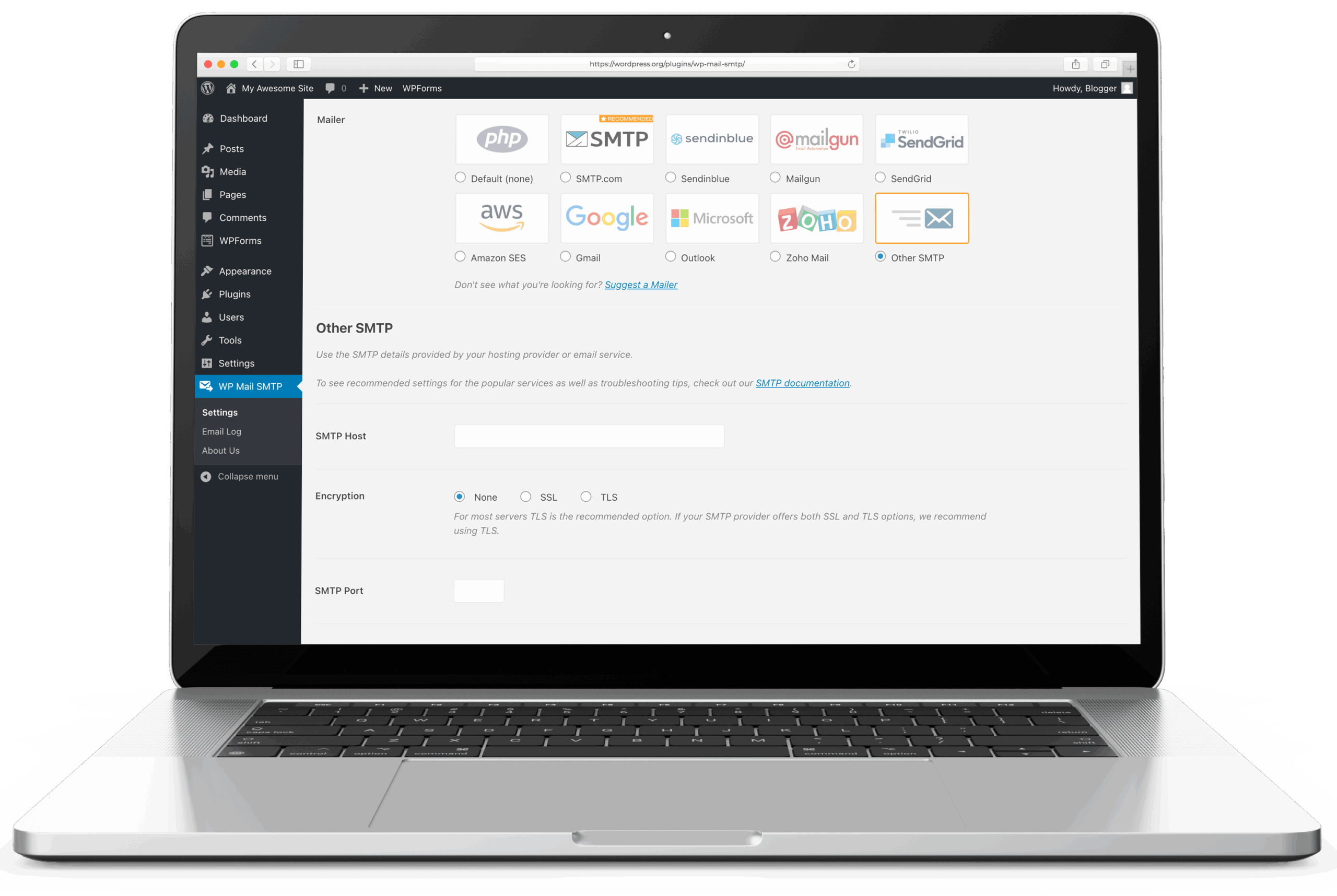
WP Mail SMTP is the most-installed WordPress mailer plugin, with over 4 million active sites. It replaces WordPress’s default wp_mail() function with authenticated SMTP or a provider’s API, fixing the deliverability problems that come from relying on PHP’s mail() function on shared hosting.
The plugin is developed by WPForms (Awesome Motive), the same team behind WPForms, OptinMonster, and MonsterInsights. It has been maintained since 2007, though the current codebase and feature set bear little resemblance to the original. The free version covers the core use case – configuring a mailer and sending email through it. Advanced features (logging, reporting, backup connections, routing) require the Pro plan at $99/year on renewal ($49 for the first year as an introductory price).
Free version
The free plugin includes:
- Setup wizard – a guided flow that walks through mailer selection, credential entry, and a test email. Functional and well-documented. For a first-time user configuring SMTP on WordPress, this is the easiest onboarding in the category.
- 15 mailer integrations – SendLayer, SMTP.com, Brevo, Gmail/Workspace (via OAuth), Elastic Email, Mailgun, Mailjet, SendGrid, Postmark, SparkPost, SMTP2GO, Resend, Mandrill, MailerSend, and a generic “Other SMTP” option for any SMTP server.
- From name and email override – forces a consistent sender identity across all WordPress email regardless of the originating plugin.
- Email test – sends a test email from the settings page to verify the configuration works.
The free version handles the core job well. A site that needs to route email through SMTP2GO, Postmark, or Gmail can configure it in the free plugin and never touch it again. The WP mail config generator takes a provider’s API key or SMTP credentials and returns a paste-ready block for WP Mail SMTP’s mailer settings, so a new site skips the fields-and-checkboxes step of the setup wizard. After the mailer connects, the DNS auth checker reads how the chosen relay’s SPF include and DKIM records resolve from the receiver’s perspective, so a mistyped selector or a stale nameserver shows up before real traffic does.
Pro features
The Pro plan ($99/year on renewal, one site) adds:
| Feature | What it does |
|---|---|
| Email logging | Records every email sent from WordPress – recipient, subject, status, timestamp |
| Email reports | Weekly dashboard chart of sent/failed emails, open/click rates by subject |
| Backup connection | Automatic fallback to a second mailer if the primary fails |
| Smart routing | Conditional logic to send different emails through different mailers |
| Rate limiting | Configurable per-minute/hour/day caps to stay within provider limits |
| Optimised sending | Background queue processing (uses Action Scheduler) |
| Multisite settings | Centralised SMTP config across a WordPress multisite network |
| Email alerts | Failure notifications via Slack, Teams, Discord, SMS, or webhook |
| Email controls | Toggle WordPress core notifications on/off |
Three mailer integrations are Pro-only: Microsoft 365/Outlook, Amazon SES, and Zoho Mail.
Higher tiers (all renewal prices, with a $50 first-year introductory discount): Elite ($149/year) adds White Glove Setup. Developer ($249/year) covers 20 sites. Agency ($449/year) covers 100 sites.
The upsell question
WP Mail SMTP’s free version works, but the plugin’s admin interface promotes the Pro upgrade persistently. Dashboard widgets, settings page banners, and feature teaser sections for Pro-only capabilities are present throughout. This is standard Awesome Motive practice across their plugin portfolio and is the most common criticism in user reviews.
Email logging – the feature most users want after the initial mailer configuration is working – is gated behind Pro. For sites that need email logs without a paid subscription, FluentSMTP includes logging in its free version. Post SMTP also provides free logging.
The upsell is a style objection, not a functionality objection. The free plugin does what it promises. The Pro features are genuine additions, not artificial limitations. Whether the admin-area promotional noise is acceptable depends on the operator.
Assessment
WP Mail SMTP is nanoPost’s default recommendation for WordPress sites that need a mailer plugin.
The rationale: the broadest mailer support in the category (15 free integrations), a setup wizard that actually works for non-technical users, extensive documentation, and the largest installed base – which means edge-case bugs are found and patched faster than in smaller plugins. For an agency configuring SMTP across client sites, WP Mail SMTP is the known quantity.
The exceptions are predictable. FluentSMTP is the better choice for users who want email logging without paying and who prefer a clean admin interface without upselling. FluentSMTP is open-source, free, and covers 10+ mailer integrations including Amazon SES – which WP Mail SMTP gates behind Pro. Post SMTP is worth considering for the mobile push notifications on email failure, which neither WP Mail SMTP nor FluentSMTP matches.
For most WordPress sites, WP Mail SMTP is where mailer configuration starts. The setup wizard handles the complexity; the free mailer support covers the common providers; the plugin works.
For the broader setup the plugin slots into, see how to set up WordPress email.
Plugin data verified August 2026 against  wordpress.org/plugins/wp-mail-smtp and
  wpmailsmtp.com/pricing. Tested against version 4.9.0. Pricing tiers unchanged since the June review.