
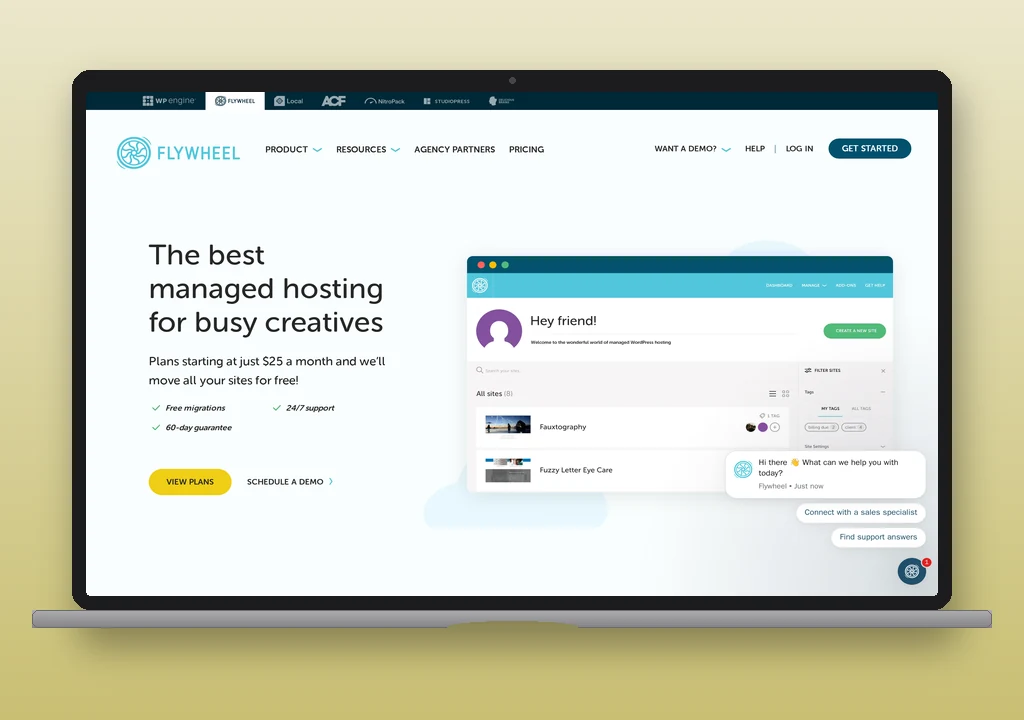
Flywheel is a managed WordPress host owned by WP Engine since 2019, positioned for designers and agencies. Every plan routes WordPress mail through a preconfigured SendGrid relay: no SMTP plugin required, no credentials to configure, no setup. Daily sending limits vary by plan tier but are not published; Flywheel’s documentation acknowledges their existence without stating the numbers. Outbound port 25 is blocked at the underlying Google Cloud infrastructure; the standard submission ports are open. No domain mailboxes or forwarding are included on any plan.
Plans start at $25/month (Starter, one site). Flywheel occupies the managed-WordPress tier alongside Pressable and, at the higher end, Kinsta and WP Engine.
Email on Flywheel
How wp_mail works by default
WordPress’s wp_mail() function routes through Flywheel’s managed SendGrid relay from the moment a site goes live. Password resets, form submissions, comment notifications, and WooCommerce order confirmations all send without any plugin installation or SMTP credentials. Compared to shared hosts where PHP mail() sends unsigned messages from a local server, this is a cleaner starting point: the mail goes out through a dedicated relay with established IP reputation rather than through shared server infrastructure.
Installing an SMTP plugin (WP Mail SMTP, FluentSMTP, Post SMTP) bypasses Flywheel’s SendGrid relay entirely rather than supplementing it. The plugin’s relay becomes the only delivery path; Flywheel’s built-in routing is not involved. This matters for troubleshooting: mail that fails through a plugin is a plugin-configuration problem, not a Flywheel infrastructure problem.
Outbound SMTP port status
| Port | Status | Protocol |
|---|---|---|
| 25 | Blocked | SMTP (legacy); blocked by Google Cloud infrastructure, not a Flywheel-specific policy |
| 465 | Open | SMTPS (implicit TLS); documented for external relay connections |
| 587 | Open | SMTP with STARTTLS (the standard encrypted connection path); documented for external relay connections |
| 2525 | Not documented | SMTP alternate; not addressed in Flywheel documentation |
Port 25 is blocked at the infrastructure level across Google Cloud; this is not a Flywheel policy decision. Ports 465 and 587 are explicitly documented as open for SMTP plugin connections. Operators switching to an external relay have the choice of either port.
Sending limits
Flywheel imposes daily email limits that vary by plan tier. The exact numbers are not published. Flywheel’s documentation characterises them as sufficient for site functions (password resets, form submissions, comment notifications) but explicitly insufficient for marketing or bulk sending. Exceeding the limit triggers a block that resets at midnight UTC.
The undisclosed cap is a meaningful constraint for any site where email volume is a known quantity. Unlike Pressable (200/hour, documented) or SiteGround (400/hour on entry plans, documented), there is no number to plan around. A WooCommerce store processing many orders a day, a membership site sending triggered notifications, or a form-intensive site cannot confirm in advance whether the built-in relay will hold under load.
Mailboxes, forwarding, DNS
Flywheel includes no domain mailboxes, webmail access, or email forwarding on any plan. Domain email requires a separate provider: Google Workspace ($7/user/month) and Fastmail (from €5/month) are full mailbox options; ImprovMX and Forward Email provide forwarding without managed inboxes. MX records for any of these providers are added through Flywheel’s DNS management panel for domains using Flywheel nameservers.
Flywheel manages DNS through its dashboard for domains pointed at Flywheel nameservers. There is no Flywheel-specific documentation for adding SPF, DKIM, or DMARC records for third-party email providers; operators add these through the standard DNS record interface for their domain.
Authentication (SPF, DKIM, DMARC)
For mail sent through Flywheel’s built-in SendGrid relay, SendGrid manages DKIM signing on Flywheel’s behalf. The operator’s domain does not require manually configured authentication records for the built-in relay to function. Flywheel does not publish a specific SPF include for the relay, and there is no documented DMARC default.
For sites that move to an external relay via an SMTP plugin, authentication follows the relay provider’s requirements: the provider supplies the SPF include, the DKIM record, and DMARC guidance to add at the domain’s DNS host. When that include has to sit alongside a mailbox provider’s include or a second sender, the SPF merger folds them together and counts the DNS lookups against RFC 7208’s ten-lookup ceiling. Once the record is live, the DNS auth checker reads how the domain’s SPF, DKIM selector, and DMARC resolve from the receiver’s perspective, so a stale nameserver or a missed record shows up before real traffic does.
What Flywheel does not provide
- Domain mailboxes and forwarding. No inboxes, no webmail, no IMAP access, no address forwarding. Every Flywheel site that needs domain email uses a third-party provider.
- Disclosed sending limits. The daily cap exists (Flywheel’s documentation acknowledges it) but the number is not published. This makes the built-in relay unsuitable for any site where email volume is a planning input.
- Delivery monitoring. No per-message delivery events, bounce tracking, or spam-complaint reporting from the Flywheel panel. Postmark, SMTP2GO, and Mailgun publish per-message logs and aggregate dashboards.
- Dedicated sending IP. The SendGrid relay uses shared IP pools. An operator who needs a dedicated sending IP for their domain’s reputation needs an external relay service (Postmark and Mailgun offer dedicated IP add-ons).
When a third-party relay is needed
For a WordPress site whose transactional volume is low and incidental (a portfolio site with a contact form, a small membership site with a few dozen active users), Flywheel’s built-in SendGrid relay is adequate. The relay works without setup, the sending reputation is good, and the port situation (465/587 open) means switching later is straightforward if volume grows.
A dedicated relay becomes the right answer when:
- Email volume is a business input. Any site that needs to know in advance whether the relay will hold under load cannot plan around an undisclosed cap. Postmark publishes its limits; SMTP2GO and Mailgun document their tiers. Choose one of these when a missed A transactional email is the automated message a WordPress site sends in response to a single user action – a password reset, an order confirmation, a form receipt – addressed to the user who triggered it. Read full reference → has a business cost.
- Delivery visibility is required. Flywheel provides no record of whether a specific message arrived. Operators who need that data need Postmark, SMTP2GO, or Mailgun.
- Marketing or notification volume is significant. Flywheel’s documentation explicitly rules the built-in relay out for this use case.
The switch to an external relay on Flywheel means installing an SMTP plugin (any of the three main plugins work; ports 465 and 587 are both open) and pointing it at the relay service. The built-in SendGrid path is replaced, not supplemented. For the full setup walkthrough, see how to configure WordPress email.
Verdict
Flywheel’s preconfigured SendGrid relay is the right default for designers and agencies whose WordPress sites have incidental transactional email needs: it works immediately, requires no setup, and the sending reputation is better than a shared-host PHP mail() path. The undisclosed daily cap is the constraint that matters: it rules the relay out for any site where email volume is a known operational variable, and it cannot be planned around. For those sites, ports 465 and 587 are open and the switch to a relay with documented limits is a plugin install.