
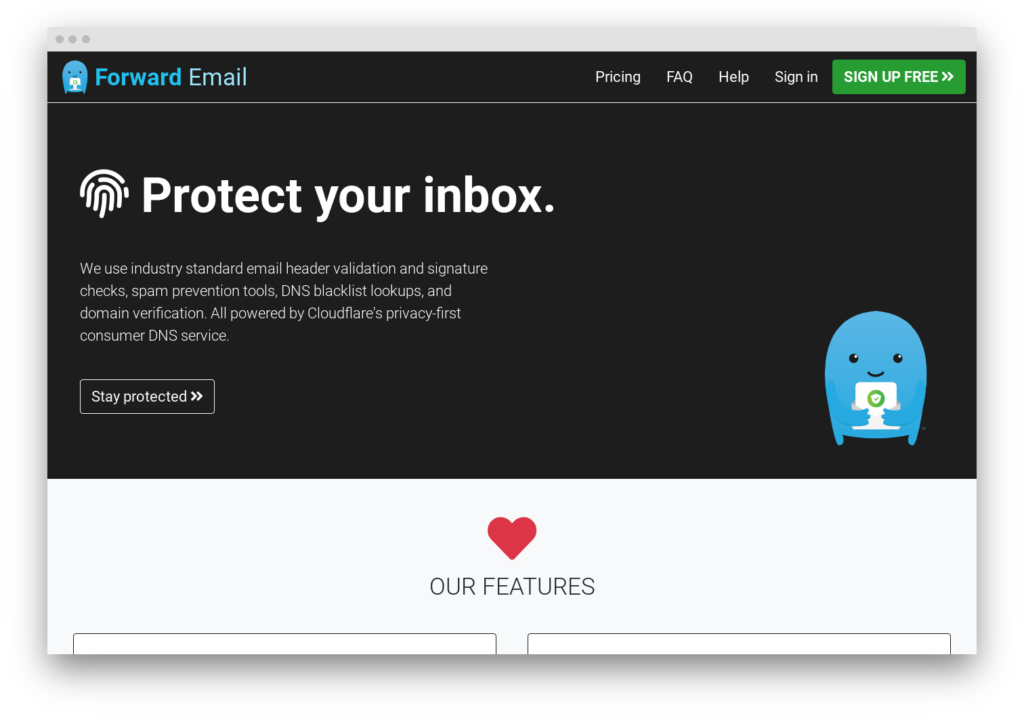
Forward Email is an email forwarding service with a published codebase that has grown into something more ambitious: a full mailbox provider with encrypted IMAP/POP3 storage, CalDAV, CardDAV, and SMTP sending. The free tier handles unlimited domains and aliases for forwarding only. Paid plans start at $3/month for 10GB of encrypted mailbox storage.
The project was founded in 2017 by Nicholas Baugh and operates as Forward Email LLC, bootstrapped and self-funded. The entire codebase is on GitHub under a dual BUSL 1.1 / MPL 2.0 license – self-hostable for personal use but not OSI-approved open-source (more on this below).
The question for a WordPress operator evaluating Forward Email is which half of the service matters to them. As a forwarding service, it competes directly with ImprovMX and wins on generosity: unlimited everything on the free tier versus ImprovMX’s one-domain limit. As a mailbox provider, it competes with Fastmail and Google Workspace at a fraction of the price but with a fraction of the polish. The two use cases have different trade-offs, and the review that follows treats them separately. (For a category overview, see the email forwarding services roundup.)
Where Forward Email fits in a WordPress stack
Forward Email’s primary function – email forwarding – occupies the same layer as ImprovMX: inbound mail routing for custom domains. If [email protected] needs to reach your Gmail, or [email protected] forwards to a shared inbox, Forward Email handles this without running a separate mailbox provider.
Forward Email is not a WordPress transactional relay. WordPress sites generating form submissions, order confirmations, and password resets need a dedicated sending service – Postmark, SMTP2GO, Mailgun – with the volume capacity and bounce handling that A transactional email is the automated message a WordPress site sends in response to a single user action – a password reset, an order confirmation, a form receipt – addressed to the user who triggered it. Read full reference → demands. Forward Email’s paid plans include SMTP sending through smtp.forwardemail.net, but the daily sending limit is low – source code configuration indicates 300 messages per day. That covers personal correspondence and light admin mail; it does not cover a WooCommerce store processing 500 orders a day.
These are separate concerns: Forward Email handles inbound routing (forwarding mail to your real inbox), while your SMTP plugin handles outbound delivery (sending WordPress-generated email to users). Most WordPress stacks need both layers, and they should come from different services.
Where Forward Email diverges from ImprovMX is the mailbox hosting on paid plans. A WordPress operator who wants [email protected] as a real inbox – sending and receiving, IMAP access in Thunderbird or Apple Mail, contacts and calendars – can get that from Forward Email for $3/month per account. The alternative is Google Workspace at $7/month or Fastmail at $5/month. The cost difference is real; the feature gap is also real.
DNS setup
Two MX records and an SPF include:
| Record type | Host | Value | Priority |
|---|---|---|---|
| MX | @ |
mx1.forwardemail.net |
0 |
| MX | @ |
mx2.forwardemail.net |
0 |
| TXT (SPF) | @ |
add include:spf.forwardemail.net to existing SPF record |
– |
Both MX records use priority 0. This is unusual – most forwarding services use split priorities (10/20) so mail tries the primary before falling back. Forward Email uses equal priority to distribute load across both servers from the start.
If no SPF record exists yet, create: v=spf1 a include:spf.forwardemail.net -all. If one already exists (common when also using a transactional relay), add the include: mechanism before the ~all or -all terminator. SPF allows up to 10 DNS lookups per RFC 7208 section 4.6.4; Forward Email’s include consumes one.
DKIM records are configured per-domain in the account dashboard under Domains > Settings > Outbound SMTP Configuration.
Forward Email implements SRS (Sender Rewriting Scheme) on forwarded messages to maintain SPF alignment after forwarding. Without SRS, a forwarded message would fail SPF checks at the destination because the forwarding server’s IP is not authorised to send on behalf of the original sender’s domain. Forward Email also supports ARC (Authenticated Received Chain) signing, which preserves the original authentication results through the forwarding hop. Gmail, Microsoft 365, and other major providers that honour ARC signatures will accept forwarded mail that would otherwise fail DMARC. This is the same approach ImprovMX and other forwarding services use; it works reliably for the major inbox providers.
Catch-all and wildcard forwarding are available on all plans, including free.
Once the records propagate, the DNS auth checker reads the domain’s live MX, SPF, and DKIM as receivers resolve them, so you can confirm Forward Email is answering before you route real mail through it. When the domain also runs a WordPress SMTP relay, the SPF merger folds include:spf.forwardemail.net into the existing SPF record, deduplicates the includes, and counts the DNS lookups against RFC 7208’s ten-lookup ceiling.
Pricing
| Plan | Price | Domains | Aliases | Storage | SMTP sending |
|---|---|---|---|---|---|
| Free | $0 | Unlimited | Unlimited | None | None |
| Enhanced Protection | $3/month | Unlimited | Unlimited | 10 GB encrypted | 300/day |
| Team | $9/month | Unlimited | Unlimited | 10 GB encrypted | 300/day |
Additional encrypted storage is available at $3/month per 10GB.
The free tier is the most generous in the forwarding category by a wide margin. ImprovMX limits free accounts to one domain and 25 aliases. Forward Email imposes no domain or alias limits on any plan, including free. For users who need forwarding on multiple domains and nothing else, the free tier handles it.
Enhanced Protection at $3/month adds mailbox storage (IMAP, POP3, webmail), SMTP sending, and CalDAV/CardDAV. This is where Forward Email stops being a forwarding service and becomes a mailbox provider. At $3/month it undercuts Google Workspace ($7/month) and Fastmail ($5/month). The trade-off is polish: Forward Email’s webmail client at mail.forwardemail.net is functional but minimal compared to Gmail or Fastmail’s interfaces.
The Team plan at $9/month adds team management features and priority support. The mailbox and sending capabilities are identical to Enhanced Protection.
The mailbox side
Paid plans provide full mailbox hosting:
- IMAP:
imap.forwardemail.neton port 993 (SSL/TLS) - POP3:
pop3.forwardemail.neton port 995 (SSL/TLS) - CalDAV:
caldav.forwardemail.neton port 443 - CardDAV:
carddav.forwardemail.neton port 443 - Webmail:
mail.forwardemail.net(PWA)
CalDAV and CardDAV support is unusual in this category. No other forwarding service offers calendar and contact sync. Both support RFC 6764 SRV record autodiscovery, which means Thunderbird, GNOME Calendar, and DAVx5 on Android can find the servers automatically.
Mailbox storage uses encrypted SQLite databases. The codebase has used ChaCha20-Poly1305 and AES-256-CBC, with current versions using AES-256-GCM. The encryption is per-mailbox and password-derived, meaning Forward Email’s servers hold encrypted blobs they cannot read without the account password. This is a meaningful privacy property, though it is not zero-knowledge in the cryptographic sense – the service still handles plaintext during IMAP sessions. Forward Email’s marketing describes the encryption as “quantum-resistant”; no production email system credibly claims quantum resistance in 2026. The symmetric encryption is solid, but the label is marketing.
OpenPGP/MIME encryption is supported for users who want end-to-end encryption on stored messages.
Forward Email also provides a REST API for domain management, alias CRUD, and account operations. Documentation is at  forwardemail.net/en/email-api. The API uses HTTP Basic Authentication with a per-account API key.
SMTP sending
Paid plans include SMTP sending through smtp.forwardemail.net:
| Setting | Value |
|---|---|
| Host | smtp.forwardemail.net |
| Port | 465 (SSL/TLS, recommended), 587, 2587, 2525, or 25 |
| Authentication | Account credentials |
| Limit | ~300 messages/day (per source code; not published on pricing page) |
The 300 messages per day limit is modest. ImprovMX’s Premium plan allows 6,000 per month (roughly 200/day), and its Pro plan allows 30,000/month. Forward Email’s limit is adequate for personal correspondence from a custom domain but too low for any application that generates email programmatically.
For WordPress sites: this SMTP server is not the right tool for transactional email. Use it for the admin’s personal outbound mail; use a dedicated relay (Postmark, SMTP2GO) for WordPress-generated messages.
The source-available angle
Forward Email’s entire codebase is published on GitHub with approximately 1,600 stars and 4,677+ commits. The tech stack is Node.js with MongoDB and Redis.
The license is dual BUSL 1.1 / MPL 2.0. This is not open-source in the OSI-approved sense. The Business Source License (BUSL 1.1) permits reading, modifying, and self-hosting the code, but restricts running a competing commercial service. Earlier references to Forward Email as MIT-licensed are outdated; the license changed. For the WordPress audience, the practical implication: self-hosting for personal or organisational use is permitted; launching a rival hosted forwarding service is not.
Self-hosting is documented and possible but non-trivial. The architecture runs nine or more distinct services (web, API, job scheduler, SMTP, MX, IMAP, POP3, SQLite encryption layer, CalDAV, CardDAV), each on its own port. Dependencies include Node.js 18+, MongoDB, Redis, and pnpm. Deployment uses Ansible playbooks targeting Ubuntu/Debian, with PM2 for process management and Cloudflare for load balancing. The minimum viable deployment requires at least two servers for redundancy.
This is infrastructure-grade self-hosting, not a weekend Docker project. A sysadmin comfortable with Ansible and multi-service orchestration can run it; a WordPress site operator who wants to avoid third-party dependencies probably cannot. The self-hosting option is real but the target audience for it is small.
What Forward Email does not do
Privacy aliasing. Forward Email offers catch-all and wildcard aliases on all plans, but it does not provide SimpleLogin or AnonAddy-style disposable masked addresses tied to per-service identities. If privacy aliasing is the primary requirement, those dedicated services are the better tools.
High-volume sending. The 300/day SMTP limit rules out bulk or transactional use. This is a personal-correspondence sending tool, not a relay.
Polished webmail. The webmail client at mail.forwardemail.net is a PWA that covers the basics. Users accustomed to Gmail’s interface, search speed, or ecosystem integration will notice the gap. Forward Email is better experienced through a dedicated mail client (Thunderbird, Apple Mail, any IMAP client) than through its web interface. There is no dedicated mobile app; mobile access is standard IMAP, which works but lacks push-notification reliability.
The verdict
Forward Email is the only service in the forwarding category that combines unlimited free forwarding with $3/month mailbox hosting, CalDAV/CardDAV, and a published codebase. For forwarding only, it has the category’s most generous free tier. For forwarding plus a cheap mailbox on a custom domain, Enhanced Protection at $3/month is the lowest entry point that includes IMAP, calendar, and contacts.
The 300/day sending cap is a hard ceiling, the webmail is basic, and privacy aliasing is absent. The self-hosting option exists but requires infrastructure skills most WordPress operators do not have.
The forwarding-only choice between Forward Email and ImprovMX comes down to what matters more: domain count (Forward Email, unlimited on free) or sending volume (ImprovMX, higher caps on paid plans). For mailbox hosting, Forward Email competes with Fastmail ($5/month) and Google Workspace ($7/month) at a lower price point but with a younger, less polished product. For a secondary domain mailbox or a privacy-minded operator who values the published codebase, that trade-off works. For a primary business inbox, Fastmail or Google Workspace remain safer defaults.