
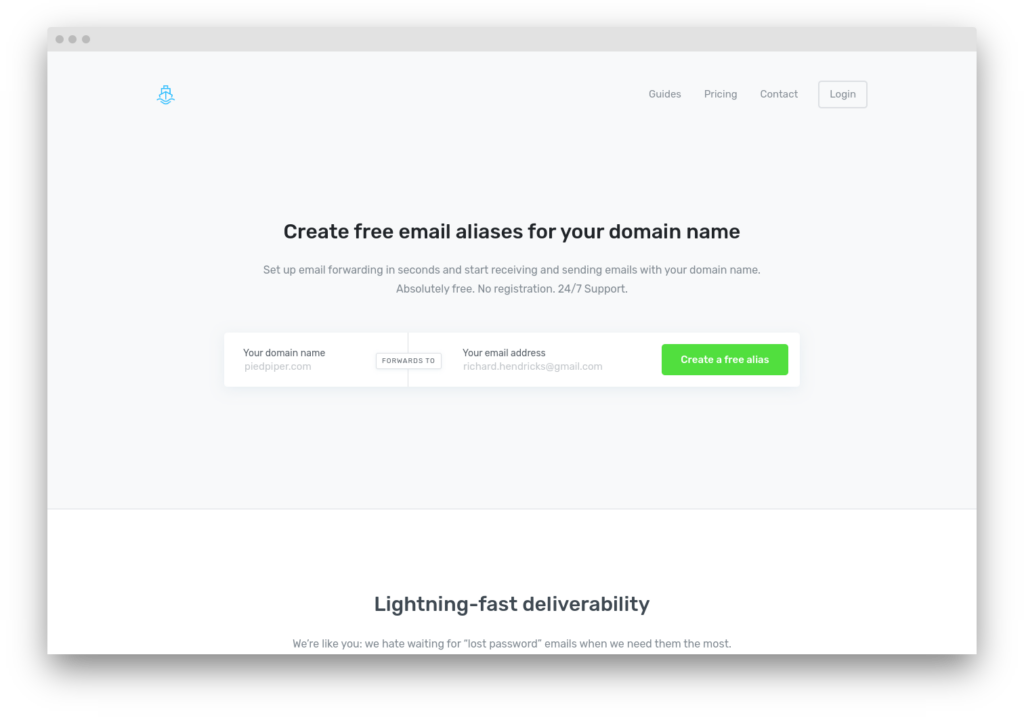
ImprovMX is the most popular independent email forwarding service, with over 200,000 users and a free tier that handles the single most common forwarding case: one domain, a handful of aliases, mail landing in Gmail. It does not host mailboxes, does not store messages, and does not provide IMAP or POP3 access. Mail arrives at ImprovMX’s servers and forwards immediately to whatever real inbox the alias points at.
Paid plans add SMTP sending through ImprovMX’s outbound servers (smtp.improvmx.com), turning a receive-only forwarding layer into a minimal custom-domain email stack. The sending limits are 12,000/month on Premium and 60,000/month on Pro (doubled from 6,000 and 30,000 in September 2026), which suits personal or light-business correspondence, not bulk or transactional sending.
The service was founded in 2013 by Antoine Minoux and Cyril Nicodème. It is now owned and operated by Matthew Tse as a bootstrapped, self-funded company.
Where ImprovMX fits in a WordPress stack
ImprovMX is not a WordPress SMTP relay. WordPress sites generating A transactional email is the automated message a WordPress site sends in response to a single user action – a password reset, an order confirmation, a form receipt – addressed to the user who triggered it. Read full reference → – form submissions, WooCommerce order confirmations, password resets – need a dedicated sending service (Postmark, SMTP2GO, Mailgun) with the volume capacity and bounce handling that transactional email requires.
ImprovMX solves a different problem: if your domain’s admin email ([email protected]) needs to reach your personal Gmail, or [email protected] should forward to a shared team inbox, ImprovMX handles this without running a mailbox provider. The forwarding layer and the transactional relay layer are different problems; ImprovMX addresses the first, your SMTP plugin addresses the second.
DNS setup
Two MX records and an SPF include:
| Record type | Host | Value | Priority |
|---|---|---|---|
| MX | @ |
mx1.improvmx.com |
10 |
| MX | @ |
mx2.improvmx.com |
20 |
| TXT (SPF) | @ |
add include:spf.improvmx.com to existing SPF record |
– |
If no SPF record exists yet, create: v=spf1 include:spf.improvmx.com ~all. If one already exists (common when also using a transactional relay), add the include: mechanism before the ~all or -all terminator. SPF allows up to 10 DNS lookups per RFC 7208 section 4.6.4; ImprovMX’s include consumes one.
Catch-all forwarding is available on all plans, including free – any email sent to an unmatched address at the domain forwards to the catch-all destination. Regex-based routing rules are available on paid plans.
For SMTP sending on paid plans, ImprovMX generates DKIM records per-domain in the dashboard. Add the provided CNAME records to enable DKIM signing on outbound mail.
In August 2026 ImprovMX moved outbound SMTP onto its own /24 block of IPv4 addresses instead of renting IPs from a hosting provider. The sending addresses now carry only ImprovMX’s own sending history, and abuse complaints route to ImprovMX directly rather than through a shared-IP intermediary. Nothing to configure on your side.
ImprovMX publishes  registrar-specific DNS guides for Cloudflare, Namecheap, GoDaddy, Route 53, and a dozen others.
Once the records propagate, the DNS auth checker reads the domain’s live MX, SPF, and DKIM the way receivers resolve them, so you can confirm ImprovMX is answering before you route real mail through it. When you are adding include:spf.improvmx.com to an SPF record that already carries a transactional provider like Postmark or Mailgun, the SPF merger deduplicates the includes and counts the DNS lookups against RFC 7208’s ten-lookup ceiling.
Pricing
| Plan | Price | Domains | Aliases/domain | Forwards/day | SMTP sends | Logs |
|---|---|---|---|---|---|---|
| Free | $0 | 1 | 25 | 500 | None | 7 days |
| Light | $50/year | 5 | 25 | 5,000 | 25/day | 7 days |
| Premium | $9/month | 30 | 100 | 5,000 | 12,000/month | up to 180 days |
| Pro | $24/month | 100 | 200 | 15,000 | 60,000/month | up to 180 days |
| Enterprise | Custom | Unlimited | Unlimited | Unlimited | Unlimited | Custom |
The free tier is the most generous in the forwarding category for single-domain use. ForwardMX offers a Personal plan at $30/year for one domain, or the Starter plan at $6/month (annual) for up to 30 domains.
The Light plan ($50/year, roughly $4.17/month) serves users who need more than one domain but don’t need serious SMTP sending. The 25 SMTP sends per day is enough for occasional replies.
Premium at $9/month is the practical entry point for anyone who needs both forwarding and SMTP sending – roughly 400 emails per day at the 12,000/month cap.
API and webhooks
ImprovMX offers a REST API covering domain management, alias CRUD, and log retrieval. The API uses HTTP Basic Authentication with a per-account API key. Core endpoints (domains, aliases, logs) are accessible on all plans; sending and template endpoints require a paid plan. Documentation is at improvmx.com/api.
A v4 API released in August 2026 replaces v3’s unindexed regex log search with a search-indexed endpoint that tolerates typos and stacks filters on status, transport, keyword, and time window. The v3 API remains supported alongside v4, so nothing forces a migration.
ImprovMX can POST incoming email data to a webhook URL on Premium plans and above – ticketing systems and custom processors can receive mail without running a mailbox.
What ImprovMX does not do
ImprovMX does not provide mailbox storage, IMAP/POP3 access, or privacy aliasing in the style of SimpleLogin or AnonAddy. Aliases are static forwarding rules, not disposable identity-masking addresses. If you need a mailbox on your domain, you need Google Workspace, Fastmail, or a similar provider.
The verdict
ImprovMX is the right choice for domain owners who need email forwarding to an existing inbox and don’t want to run a mailbox provider. The free tier handles the most common case – one domain, a handful of aliases, forwarding to Gmail – and paid plans add SMTP sending for light correspondence.
It is not a WordPress email solution. ImprovMX sits alongside a relay service, not instead of one: it handles the receiving side (forwarding admin mail to your real inbox) while Postmark or SMTP2GO handles the sending side (delivering WordPress-generated email to users). For users who only need forwarding and value the simplest possible setup, ImprovMX is where the category defaults.