
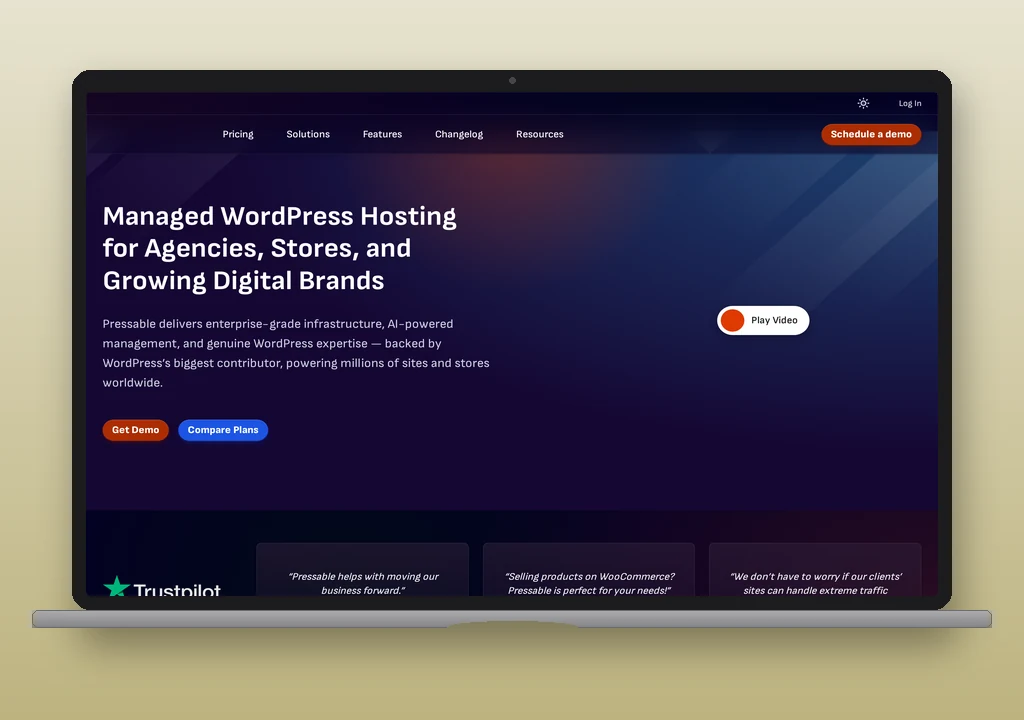
Pressable is a managed WordPress host owned by Automattic (the company behind WordPress.com, WooCommerce, and Jetpack), running on Automattic’s WP Cloud infrastructure. Every plan includes a built-in mail relay that routes WordPress’s wp_mail() function out of the box; no SMTP plugin is required for A transactional email is the automated message a WordPress site sends in response to a single user action – a password reset, an order confirmation, a form receipt – addressed to the user who triggered it. Read full reference →. The relay carries two documented limits: 200 emails per hour per site and a maximum of 4 unique sender addresses per 24-hour window. Pressable does not include domain mailboxes by default; an optional Titan email add-on is available at $3.50 per inbox per month with a 90-day free trial.
Plans start at $25/month (Signature 1, monthly). Pressable sits in the managed WordPress tier alongside Kinsta and WP Engine rather than the shared-hosting tier occupied by SiteGround and Bluehost.
Email on Pressable
How wp_mail works by default
WordPress’s wp_mail() function routes through Pressable’s built-in mail delivery infrastructure without any configuration. Password resets, WooCommerce order confirmations, contact-form notifications, and membership-plugin emails all send from the moment the site goes live. This is a genuine differentiator from most shared hosts: there is no unsigned PHP mail() path, no first step of installing WP Mail SMTP, and no external credentials to manage for basic transactional email.
The built-in relay applies two limits that matter in practice. Most transactional sites stay well under the 200-per-hour cap. The 4-unique-sender-per-day limit is the one that catches sites off guard: a standard WooCommerce install sends from [email protected] (order confirmations), [email protected] or [email protected] (notifications), and possibly [email protected] (customer queries). Add a membership plugin and a form plugin and the 4-sender ceiling is reachable without any intentional design decision to use multiple addresses.
Outbound SMTP port status
| Port | Status | Protocol |
|---|---|---|
| 25 | Blocked | SMTP (legacy); blocked on Pressable’s managed infrastructure |
| 465 | Not documented | SMTPS (implicit TLS); not addressed in Pressable documentation |
| 587 | Open | SMTP with STARTTLS (the standard port for external relay connections via plugin) |
| 2525 | Not documented | SMTP alternate; not addressed in Pressable documentation |
Port 25 is blocked as standard on managed WordPress hosting. Port 587 is open and the port referenced in Pressable’s documentation for SMTP plugin configurations. Sites that need to move beyond the built-in relay (for volume, sender limits, or delivery analytics) use a plugin configured for port 587.
Sending limits
| Limit | Value |
|---|---|
| Emails per hour, per site | 200 |
| Unique sender addresses per 24 hours, per site | 4 |
The hourly limit positions Pressable between DreamHost (100/hour) and SiteGround (400/hour on entry plans). In practice, the 4-sender restriction is the operational constraint most sites meet first. A site sending from more than four distinct From addresses in a calendar day hits the limit regardless of message volume. Standard WooCommerce configurations often use three or four distinct sender addresses without deliberate planning.
Mailboxes, forwarding, DNS
Pressable does not include domain mailboxes or email forwarding on any plan. The optional Titan email add-on, available through the MyPressable dashboard, provides IMAP, POP3, webmail, calendar, contacts, and 10 GB storage per inbox at $3.50 per inbox per month, with a 90-day free trial. Operators who need mailboxes and do not want the Titan add-on can use any third-party provider (Forward Email, Google Workspace, Fastmail) configured at the DNS level.
Pressable manages DNS through the MyPressable control panel for domains with nameservers pointed to Pressable. MX records, SPF records, and DKIM and DMARC (authentication records that govern which servers can send mail for the domain and how receivers handle failures) records are added through that panel. Domains using external DNS manage records at the external DNS host.
Authentication (SPF, DKIM, DMARC)
For mail sent through Pressable’s built-in relay, Pressable handles outbound signing on its infrastructure. The operator’s domain needs an SPF record (the DNS record that lists which servers are authorised to send mail on behalf of the domain) that includes Pressable’s relay ranges;  Pressable’s DNS records documentation covers the specific include to add. DKIM signing applies to mail through the relay.
DMARC (the policy record that tells receiving servers what to do when SPF and DKIM both fail) is not configured automatically; operators who want a DMARC record add a _dmarc TXT record through the MyPressable DNS panel or at the external DNS host. For sites switching to an external relay via an SMTP plugin, authentication follows the relay provider’s requirements rather than Pressable’s.
When Pressable’s relay include has to sit alongside a third-party relay’s include in one SPF record, the SPF merger folds the two together and counts the DNS lookups against RFC 7208’s ten-lookup ceiling before publish. Once the record is live, the DNS auth checker reads how the domain’s SPF, DKIM selector, and DMARC resolve from the receiver’s perspective, so a stale nameserver or a missed include shows up before real traffic does.
What Pressable does not provide
- Domain mailboxes. No inboxes, webmail, or IMAP access without the Titan add-on ($3.50/inbox/month). SiteGround, Bluehost, and DreamHost on DreamPress all include email hosting without a paid add-on.
- Email forwarding. No address-level forwarding is included. Operators who want address-forwarding without mailboxes can use Forward Email or ImprovMX at the DNS level.
- High sender-address diversity. The 4-unique-sender-per-24h restriction is not found on any other named host covered here. Sites that send from more than four addresses per day need an external relay.
- Delivery monitoring. No per-message delivery events, bounce tracking, or suppression lists from the Pressable panel. Postmark, SMTP2GO, and Mailgun all publish per-message logs.
When a third-party relay is needed
For a WordPress site whose transactional email volume stays under 200 per hour and sends from four or fewer distinct addresses per day, Pressable’s built-in relay is sufficient: no plugin, no credentials, no setup. A contact-form site, a small WooCommerce store, a simple membership site: these profiles fit comfortably within the documented limits.
A dedicated relay becomes the right answer when:
- The site sends from more than four addresses per day. This is the threshold most likely to trigger the limit before the hourly cap. Consolidating sender addresses (a single [email protected] From with reply-to variations) is one workaround; moving to an external relay is the other. Postmark and SMTP2GO impose no sender-count restrictions.
- Volume approaches 200 per hour. Any automated flow (order notifications, membership renewals, triggered sequences) that pushes toward this ceiling needs an external relay. Mailgun scales well at higher volumes; SMTP2GO has a free tier appropriate for moderate volume.
- Delivery visibility is required. Pressable provides no record of whether a specific message arrived, bounced, or was flagged as spam. Operators who need that data need one of the relay services: Postmark, SMTP2GO, and Mailgun all publish per-message logs and aggregate dashboards.
Port 587 is open on Pressable, so any SMTP plugin (WP Mail SMTP, FluentSMTP, Post SMTP) connects to an external relay without a port conversation. For the full setup walkthrough, see how to configure WordPress email.
Verdict
Pressable’s built-in relay is the most convenient default wp_mail story among the managed WordPress hosts: it works without any setup and routes through Automattic’s own infrastructure. The constraint is the 4-unique-sender-per-24h limit, which is unusual enough in the category that it warrants a check against the site’s actual sender-address count before assuming the built-in path is sufficient. For sites where that limit or the 200/hour ceiling is a real constraint, port 587 is open and any standard SMTP plugin connects to an external relay without friction.