
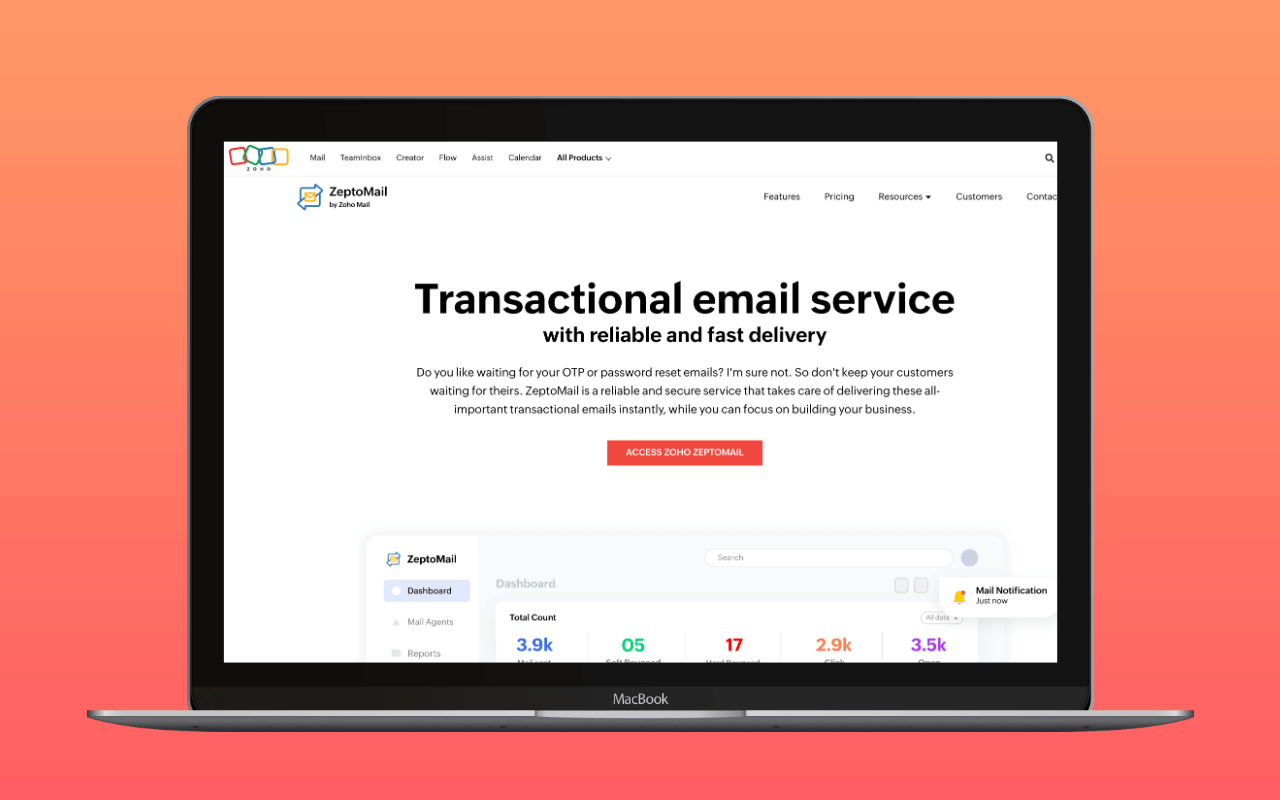
Zeptomail is Zoho’s dedicated transactional email service. In 2026 Zoho folded the product into a multi-channel platform called Zoho CPaaS, adding SMS, WhatsApp, and Voice channels beside email on a shared platform. For a WordPress operator sending transactional messages, that rebrand is almost entirely a parent-brand change: the SMTP host, the credential model, the WordPress plugin, and the DNS setup all still say “Zeptomail” and still work the same way.
The email side keeps its founding thesis. Zeptomail does not handle marketing email at all; Zoho offers that separately through Zoho Campaigns. The strict separation is deliberate: by refusing bulk promotional traffic on its infrastructure, Zeptomail maintains cleaner IP reputation for the transactional messages (password resets, form confirmations, order receipts) that need to land in inboxes immediately. The CPaaS additions do not soften that stance; the new WhatsApp and SMS channels are gated to Utility and Authentication messages, not marketing.
The pricing model is unusual in this category: credits at $2.50 per 10,000 emails with no monthly subscription. Credits expire six months after purchase. The first credit is free on signup. One credit covers 10,000 emails; a WordPress site sending 500 a month uses 3,000 before the credit expires, wasting the remainder but spending nothing on the free credit and $2.50 on the next one. That is not the cheapest option; SMTP2GO offers 1,000/month indefinitely for free. It is among the cheapest for sites that exceed SMTP2GO’s free cap without needing a full monthly plan.
Zeptomail runs on Zoho’s multi-region infrastructure, which includes data centers in the US, EU, India, Australia, Japan, and China, giving GDPR-constrained European sites a local processing option that Postmark and most smaller transactional relays lack.
The Zoho CPaaS rebrand
At zoho.com/zeptomail/, the landing page now says “ZeptoMail is now Zoho CPaaS. Built on ZeptoMail’s proven email delivery infrastructure, Zoho CPaaS is expanding beyond email.” The pricing page’s title reads “Credit-Based SMS, WhatsApp, Voice, and Email | Zoho CPaaS Pricing.” Zoho’s help docs describe the product as “Zoho CPaaS (Formerly Zoho ZeptoMail).”
Underneath the parent brand, four channels now share the same dashboard and billing surface:
- Email. The original Zeptomail product, unchanged in mechanics.
smtp.zeptomail.comstill resolves and still accepts connections. One credit still buys 10,000 emails. Available across all six Zoho data centers. - SMS. BETA, India only at launch. 1,000 SMS chunks per credit at $3 per credit. Split-billed at 160 characters per chunk.
- WhatsApp. BETA, all regions. $3 per credit, plus Meta’s per-message rate for the destination country and a 10% platform fee. Utility and Authentication templates only.
- Voice. BETA, US/IN/EU. $1 per credit.
SMS and WhatsApp draw from a shared message-credit balance; email and voice have separate credit pools. For a WordPress operator, the practical read is: if the site only needs transactional email, the CPaaS rebrand is a name change and a set of dashboard tabs to ignore. If the site already routes OTPs through a separate SMS vendor, the shared platform is the pitch, though BETA status on those channels means production betting is premature.
SMTP settings
| Setting | Value |
|---|---|
| Host | smtp.zeptomail.com |
| Port | 587 (TLS) or 465 (SSL) |
| Encryption | TLS 1.2 |
| Username | emailapikey |
| Password | Send Mail Token (from Mail Agent settings) |
Zeptomail does not use account passwords for SMTP authentication. Each Mail Agent generates its own Send Mail Token, a long API credential used as the SMTP password. The fixed username is emailapikey for all connections. If your mailer plugin has a character-length limit on the password field, Zeptomail provides a shorter token variant in the dashboard.
IP restriction is available as a security measure: you can lock a Mail Agent’s credentials to specific sending IPs so a leaked token cannot be used from other servers.
Mail Agents
Zeptomail’s credential model is built around “Mail Agents,” separate sending channels within your account. Each Agent has its own SMTP/API credentials, suppression list, sending limits, and tracking configuration. You can associate one or more verified domains with each Agent.
The practical use for WordPress: create one Agent per site (or per purpose, such as one for order confirmations and one for password resets). If one site’s sending triggers complaints, only that Agent’s reputation is affected; the others continue independently. This is analogous to Mailgun’s per-domain credentials or Postmark’s Servers concept, but scoped by purpose rather than domain alone.
Pricing
| Item | Cost |
|---|---|
| Email credits | $2.50 per 10,000 emails |
| Monthly fee | None |
| First credit | Free on signup (10,000 emails, expires in 6 months) |
| Credit expiry | 6 months from purchase |
| Auto top-up | Available (auto-purchase when credits run low) |
| Dedicated IP | $30/month, billed annually ($360/year), select data centers |
| Custom pricing | Available for high-volume senders |
The model is flat: buy credits, use them, buy more when they run out.
A second rate is preloaded in Zoho’s pricing data at $2.00 per credit but is not the default rendered value on the pricing page. It appears in the JSON payload that populates the page but sits behind a tab or cohort switch the default view does not trigger. Confirm the checkout total before you buy; a US signup coming through the standard flow today should see $2.50.
The one-credit welcome amount is generous, but the six-month expiry is aggressive. A WordPress site sending 100 emails a month burns 600 emails of the 10,000-credit bundle before it expires, wasting 94% of the credit though only $2.50 in absolute terms.
The cost math at WordPress-typical volumes: a site sending 2,000 emails a month uses one credit ($2.50) every five months. For context, that same 2,000-email site pays nothing on SMTP2GO’s free tier (1,000/month) plus $10/month on the next tier up, or nothing on Brevo’s 300/day free allowance. The SMTP cost calculator plots Zeptomail’s $2.50-per-10K credit rate against SMTP2GO, Postmark, Mailgun, and Amazon SES at whatever monthly volume the site actually sends.
Zeptomail offers auto top-up to prevent sending interruption: credits are purchased automatically when the balance runs low. Without auto top-up enabled, exhausted credits mean sending fails and WordPress email silently stops until credits are replenished. Enable auto top-up on any production site.
Dedicated IPs are available only on annual billing at $30 a month ($360 a year), and only in select data centers; Zoho asks operators to contact support to confirm availability in their DC before purchase. At the volume where a dedicated IP starts to pay back (typically five figures a day, sustained), the annual commitment is a small fraction of the sending budget.
No refunds on unused credits upon cancellation.
DNS authentication
Zeptomail requires DKIM verification before sending. The setup:
- Add a DKIM TXT record to your domain’s DNS (selector is customisable; 1024-bit or 2048-bit key length)
- Add a CNAME record for bounce/return-path handling
- Verify in the Zeptomail dashboard (allow 24-48 hours for propagation)
SPF is not strictly required. Zeptomail recommends DKIM and CNAME records only, to avoid redundancy with SPF includes from other services on the same domain. This is sensible advice for domains that already have a crowded SPF record.
Once the DKIM TXT and the return-path CNAME are live, the DNS auth checker reads how the DKIM selector and the return-path CNAME resolve from the receiver’s perspective, so a stale nameserver or a mistyped selector shows up before real traffic does. After that, test with swaks that outgoing messages pass DKIM alignment. For help with DNS record setup, see our WordPress email DNS guide.
WordPress integration
The WP mail config generator takes a Zeptomail Send Mail Token and returns a paste-ready block for the plugin below, so the setup question is which mailer, not which fields to populate.
Three paths:
Zoho ZeptoMail plugin. The  dedicated WordPress plugin (slug:
 transmail, 5,000+ active installs, still branded “Zoho ZeptoMail (formerly TransMail)” on wordpress.org and updated within the last week) connects via Zeptomail’s API using a Send Mail Token. No SMTP configuration needed: enter the token, select your verified From address, done. This is the fastest path for Zeptomail specifically. The plugin has not been rebranded to CPaaS.
Zoho Mail plugin. The Zoho Mail for WordPress plugin connects to Zoho Mail mailboxes, not Zeptomail. See the disambiguation section below if you are unsure which product you need.
Generic SMTP. Any mailer plugin (WP Mail SMTP, FluentSMTP, Post SMTP) can connect to smtp.zeptomail.com using the SMTP settings above. WP Mail SMTP, FluentSMTP, and Post SMTP each ship a native Zeptomail integration under that name in their free tier, so you rarely need the generic SMTP fallback. See our compatible plugin list for the full field.
Zeptomail vs Zoho Mail
These are distinct products sharing a parent company:
- Zoho Mail is a mailbox service (inbox, calendar, contacts), Zoho’s equivalent to Google Workspace or Microsoft 365. Pricing starts at $1/month per user. WordPress integration is via OAuth and the Zoho Mail API, sending through your Zoho mailbox with that mailbox’s sending limits.
- Zeptomail (now inside Zoho CPaaS) is a transactional relay (no mailbox, no inbox). Send-only, with pay-per-email pricing and infrastructure isolated from marketing traffic. Higher volume capability, purpose-built for application-generated email.
If your WordPress site uses Zoho Mail for team email and you send under 50 transactional messages a day, sending through your Zoho Mail account via the Zoho Mail plugin is sufficient. If you need higher volume, want deliverability isolation from your mailbox reputation, or run multiple sites, Zeptomail is the correct choice.
Assessment
Zeptomail is a good fit for WordPress transactional email in one specific scenario: sites already in the Zoho ecosystem that need a transactional relay without a monthly subscription commitment. The transactional-only policy is genuine, not a marketing claim but an architectural decision that keeps the sending infrastructure isolated from bulk campaigns.
The CPaaS rebrand does not change the WordPress setup story, but it does add a mild positioning tailwind: if the same WordPress stack also sends transactional SMS or WhatsApp OTPs (WooCommerce order codes, two-factor login, appointment reminders), the shared platform now covers all three channels under one credit surface and one billing relationship. The catch is that SMS and WhatsApp are BETA at launch and SMS is India-only, so the multi-channel pitch cashes in over the next release cycle rather than today.
The cases where Zeptomail fits well:
- WordPress sites in Zoho Workplace environments (coherent vendor stack, single billing relationship)
- Sites sending 1,000-10,000 emails/month where SMTP2GO’s free tier is too small but a monthly plan feels excessive
- Operators who want strict transactional/marketing separation without managing it themselves
- European or APAC sites needing local data processing (multi-region availability)
The cases where other options are better:
- Low volume, cost-sensitive: SMTP2GO’s free tier (1,000/month, no expiry, no credit card) is the better default for sites under that threshold. No expiry risk, no waste.
- Deliverability-focused at scale: Postmark shares Zeptomail’s transactional-only philosophy with a longer track record, better-documented deliverability infrastructure, and deeper WordPress ecosystem support. $15/month for 10,000 emails.
- Developer infrastructure: Mailgun or Amazon SES for high-volume or complex routing requirements where per-message cost and API flexibility matter more than simplicity.
- Free tier with no catches: SMTP2GO or Brevo (300/day free) if the budget is zero.
For most WordPress sites without an existing Zoho relationship, SMTP2GO or Postmark are stronger defaults. Zeptomail earns its place when the Zoho ecosystem context or the no-subscription pricing model matches the operator’s constraints; the CPaaS rebrand tilts the case a little further toward Zoho-shop sites that already run more than one Zoho product.
For the broader setup that places Zeptomail inside the WordPress email stack, see the WordPress email setup guide.
Pricing and rebrand verified 2026-09-30 against zoho.com/zeptomail/ (rebrand banner “ZeptoMail is now Zoho CPaaS”), zoho.com/zeptomail/pricing.html (page title “Credit-Based SMS, WhatsApp, Voice, and Email | Zoho CPaaS Pricing”), and Zoho’s pricing JSON payload at zohowebstatic.com/sites/zweb/json/pricing/cpaas-pricing-val.json (USD $2.50 per email credit as the default rendered rate; $2.00 preloaded on a secondary tab; dedicated IP at $30/month billed annually). SMTP host smtp.zeptomail.com verified via DNS on 2026-09-30. WordPress plugin data verified against wordpress.org/plugins/transmail/ 2026-09-30 (still branded “Zoho ZeptoMail (formerly TransMail),” 5,000+ installs, updated within the last week). Data-residency regions verified against zoho.com/zeptomail/gdpr.html.