
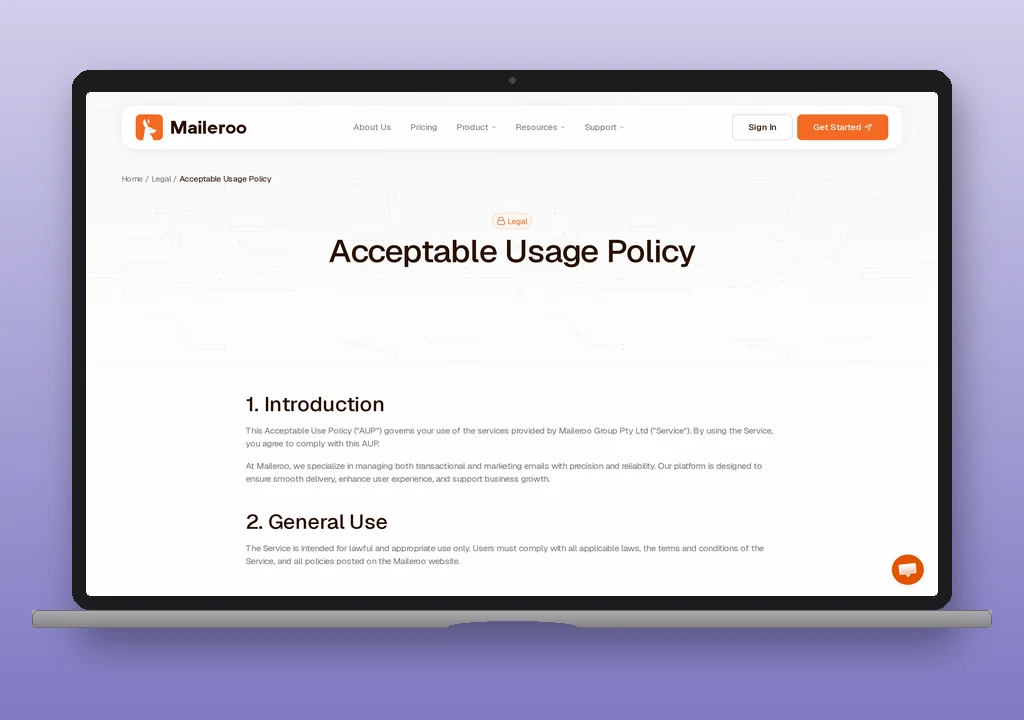
Maileroo is an Australian-owned transactional relay operated out of EU-resident infrastructure (Germany, the Netherlands, Finland, and France). It is a pure transactional platform – no marketing campaigns, no contact-list manager – which puts it in the same product category as Postmark, SMTP2GO, and MailerSend, and at pricing that undercuts all three at the low and mid tiers.
The free tier covers 3,000 outbound emails and 1,000 inbound emails per month across two verified domains with no credit card and no time limit. Paid tiers start at $10/month for 25,000 emails and scale to $250/month for a million. Every paid plan carries the same feature set – SMTP relay, HTTP API, inbound routing, webhooks, template engine, 14-day message retention – with no gating across tiers other than a dedicated IP address, which is included on Pro ($72/month, 250,000 emails) and above.
SMTP settings
| Setting | Value |
|---|---|
| Host | smtp.maileroo.com |
| Ports | 587 (STARTTLS), 465 (SSL/TLS), 2525 (STARTTLS) |
| Encryption | STARTTLS on 587/2525, implicit TLS on 465 |
| Authentication | Login (username and password) |
| Username | SMTP account address generated in Domains > SMTP Accounts |
| Password | SMTP password shown at creation |
| Message size limit | 24 MB |
Maileroo publishes three ports where most of the category publishes one. Port 587 is the default and works from any WordPress host that permits outbound SMTP; 465 is available for firmware that only speaks implicit TLS (some scan-to-email printers, some legacy plugins); 2525 is the fallback where a host blocks 587 for spam-mitigation reasons. The swaks SMTP test guide has the outbound-port test for the case where none of the three respond.
SMTP credentials are scoped per-domain under Domains > select-domain > SMTP Accounts > New Account. The username is the full email address the account is scoped to (<alias>@<your-domain>); the password is generated alongside the alias and visible on the account’s row in the dashboard.
If the domain already carries a Google Workspace or Microsoft 365 include in its SPF record, the SPF merger folds Maileroo’s include into the existing string and counts DNS lookups against RFC 7208’s ten-lookup ceiling before you publish. Once the DKIM TXT at maileroo._domainkey is live, the DNS auth checker reads Maileroo’s records the way receivers resolve them, so a stale nameserver or a mistyped selector shows up before real traffic does. After that, verify with swaks that messages authenticate correctly.
Pricing
| Plan | Price | Emails/mo | Dedicated IP | Notes |
|---|---|---|---|---|
| Free | $0 | 3,000 out + 1,000 in | Add-on $50/mo | 2 domains, no card, no expiry. Full feature set. |
| Basic | $10/mo | 25,000 | Add-on $50/mo | 12% monthly quota buffer. |
| Starter | $15/mo | 50,000 | Add-on $50/mo | Feature parity with Basic. |
| Premium | $30/mo | 100,000 | Add-on $50/mo | Feature parity with Basic. |
| Pro | $72/mo | 250,000 | Included | Free dedicated IP threshold. |
| Ultimate | $140/mo | 500,000 | Included | |
| Enterprise | $250/mo | 1,000,000 | Included |
Every paid tier carries the same feature set – SMTP relay, HTTP API, inbound routing, webhooks, template engine, 14-day log retention, custom tracking domains, click and open tracking, blacklist monitoring. What steps up as the plan does is the monthly volume and whether a dedicated IP is included.
Non-profits and open-source projects get 50% off every plan. Overage does not send; a message beyond the plan quota is held until the quota resets or the plan is upgraded, which is a different failure mode to the per-thousand overage rates that MailerSend, Amazon SES, and SMTP2GO charge. Paying users get a 12% buffer on the monthly quota for unexpected spikes.
For a like-for-like comparison at the low end, SMTP2GO offers 1,000 emails/month free with Starter at $10 for 10,000, and MailerSend offers 500 emails/month free (with vendor branding on outgoing messages) and Hobby at $7 for 5,000. Maileroo’s 3,000-free tier ships without branding on the messages and its 25,000-for-$10 Basic plan sits well below both competitors on a per-message basis. The SMTP cost calculator compares Maileroo’s tiers against SMTP2GO, MailerSend, Postmark, Mailgun, and Amazon SES at whatever monthly volume the site actually sends.
Free tier
3,000 outbound emails and 1,000 inbound emails per month, 2 verified domains, no credit card, no time limit, no vendor branding on the outgoing messages. The full feature set (SMTP, API, inbound routing, webhooks, template engine, 14-day retention) is unlocked at the free tier – the only feature that is not is a dedicated IP address, which requires paid tiers as an add-on or comes bundled on Pro and above.
The tier fits a low-to-medium WordPress site: a contact form on a personal or small-business site, an evaluation account for testing a mailer plugin, or a WordPress dev environment. 3,000 per month works out to roughly 100 messages per day averaged, which covers most contact-form traffic and low-volume WooCommerce order confirmations without hitting the ceiling. The absence of vendor branding at this tier is a real differentiator – a free-tier order confirmation from Maileroo looks like a message from the site, not a message from Maileroo about the site.
Paid tiers
Basic at $10/month for 25,000 emails is the entry paid tier and the point at which the pricing becomes visibly cheaper than most of the category. Starter, Premium, Pro, Ultimate, and Enterprise then scale by monthly volume on the same feature set. Pro at $72/month for 250,000 emails is the point where a free dedicated IP ships with the plan; below that the dedicated IP is a $50/month add-on. Sites that need more than one dedicated IP can add each for another $50/month.
Feature parity across paid tiers means the decision at plan selection is a volume question, not a feature question. Volume that fits in Basic pays $10; volume that fits in Pro pays $72 and includes the IP; a site that outgrows Enterprise crosses into pricing that is negotiated case-by-case.
Data residency
Maileroo runs its infrastructure across Germany, the Netherlands, Finland, and France. All message processing terminates in the EU, and the company publishes GDPR compliance as a first-class product feature. For a WordPress site with EU data-residency requirements – a GDPR-focused nonprofit, an EU public-sector project, or any operator whose privacy policy commits to EU processing – Maileroo is one of a small set of transactional platforms that satisfies the constraint without an “EU region” opt-in that has to be enabled at signup.
The alternatives differ. Postmark hosts in the US and has no EU option. SMTP2GO runs an Amsterdam data centre: European sign-ups are placed there automatically, and other accounts can ask to move. Mailjet stores data only in the EU, and MailerSend stores it in the EU by default, though MailerSend is a US company that documents transfers to the US. Maileroo defaults to EU with no opt-in required.
WordPress integration
For the step-by-step install order (verify the sending domain, generate SMTP credentials or an API token, wire the mailer plugin, first test send), see Maileroo plugin for WordPress. The section below is the plugin-path comparison; the how-to is the setup walk-through.
The WP mail config generator takes a Maileroo SMTP credential pair and returns a paste-ready block for the plugin below, so the choice becomes which mailer, not which fields to populate.
Three paths:
Simple SMTP by Maileroo – The  Simple SMTP by Maileroo plugin is authored by Maileroo co-founder Areeb Majeed and marketed as the official plugin. It supports both SMTP relay (with the credentials from Domains > SMTP Accounts) and Maileroo’s HTTP API (for hosts that block outbound SMTP ports), and runs at roughly 700 active installs against WordPress 6.9. Pick it when Maileroo is the settled choice and the site does not need the surrounding features other mailer plugins ship, or specifically when the WordPress host blocks outbound SMTP and the API path is required.
WP Mail SMTP with Other SMTP – WP Mail SMTP does not ship a dedicated Maileroo mailer, but its Other SMTP option reaches smtp.maileroo.com:587 with the same generated credentials. Pick it when the site benefits from WP Mail SMTP’s plugin-side logging, fallback, and per-sender routing on top of Maileroo’s own reporting.
Generic SMTP – FluentSMTP and Post SMTP reach smtp.maileroo.com:587 with the same credentials. FluentSMTP is the pick for a site that wants a free, open-source mailer with cleaner per-address routing than WP Mail SMTP’s free tier. Post SMTP is the pick when a bounced send needs to page an operator through Chrome, Slack, Teams, or SMS. See the WordPress mailer plugin list for the full comparison.
Assessment
Maileroo is a young platform – v1.0 shipped in 2024, and the company is a two-founder bootstrapped operation out of Melbourne with EU-hosted infrastructure. The rationale for reaching for it: the pricing is the lowest in its category at every tier below Enterprise, the feature set does not gate on plan level (SMTP, API, webhooks, and inbound routing are all in Basic), EU data residency is the default, and the WordPress plugin path is straightforward with a co-founder-authored integration on wp.org that supports both SMTP and API modes.
The cases where Maileroo is not the right fit are also predictable. If the site needs a vendor with a decade of operational track record and the risk profile of a young company is unacceptable, Postmark (founded 2010) and SMTP2GO (founded 2006) are the safer picks even at higher prices. If the priority is the cheapest usable send at very large volume and the site is already on AWS, Amazon SES at $0.10 per 1,000 messages is still cheaper than Maileroo at any tier. If the site needs US data residency specifically for regulatory reasons, Maileroo’s EU-first infrastructure is the wrong side of that line.
The pricing model – overage does not send, instead the message is held until the quota resets or the plan upgrades – is also worth calling out. That is a different failure mode to the per-thousand overage charges that MailerSend, Postmark, and Amazon SES apply, and it means a spike beyond the plan quota shows up as a delivery failure rather than an invoice line. Paying users get a 12% buffer on the monthly quota to absorb small spikes, but a WooCommerce site that could plausibly send 30,000 messages in a peak month should be on Starter ($15) or Premium ($30) with the 12% buffer, not on Basic hoping the buffer covers the spike.
For everything else – a WordPress site that wants an EU-resident transactional relay at the lowest end of the mid-tier category, is comfortable with a young vendor, and does not need US residency – Maileroo is a strong pick.
For the broader setup that places Maileroo inside the WordPress email stack, see the WordPress email setup guide.
Pricing verified September 2026 against maileroo.com/pricing. SMTP settings and DNS records verified against Maileroo’s documentation and help center.
Corrections
- 2026-10-21: an earlier version said MailerSend, Postmark and SMTP2GO had no EU-region option and that Mailjet defaulted to the US. Only Postmark lacks an EU option; MailerSend and Mailjet store data in the EU, and SMTP2GO places European sign-ups in Amsterdam.