
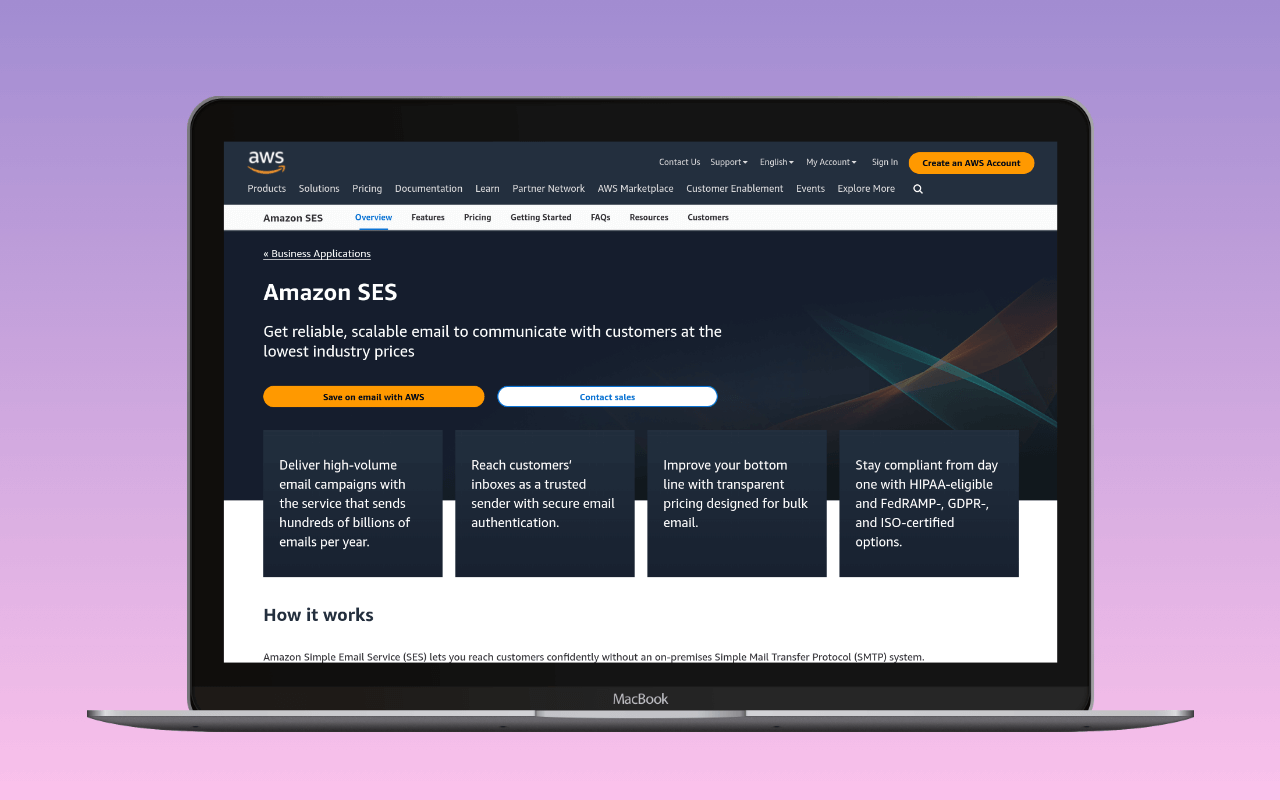
This guide is the setup mechanics. For the case for or against SES itself — pricing under the 2026 plan restructure, sandbox limits, region choice, the fits and doesn’t-fits — start at the Amazon SES review. For picking the mailer plugin, see best Amazon SES plugin for WordPress.
Use Amazon SES as the SMTP relay for a WordPress site when outbound volume clears roughly 10,000 messages a month, the operator is comfortable inside the AWS console, and the team is willing to own the bounce-and-complaint feedback loop that SES treats as operator responsibility rather than provider responsibility. Below that volume, SMTP2GO and Postmark beat SES on setup time and admin ergonomics for a per-message cost that stays negligible at low volume. Above it, SES’s $0.10-per-thousand pricing compounds into real savings.
Request production access before anything else. New AWS accounts land in a SES sandbox capped at 200 messages a day, one message a second, with every recipient address individually verified in the console. That is not a rate limit; it is a launch blocker. AWS targets a 24-hour turnaround on the request, and a request filed the day the site was supposed to go live stalls the launch if the review comes back for follow-up questions. File it first, verify the domain and generate credentials while it sits in the queue, and land in production on launch day rather than the day after.
Companion guides for the mailbox-system paths sit at WordPress SMTP with Google Workspace and WordPress SMTP with Microsoft 365.
When this is the right approach
Amazon SES is AWS infrastructure that happens to send email, and it fits WordPress sites whose profile matches AWS-shaped ergonomics.
- Volume above roughly 10,000 messages a month, ideally well above. Per-message pricing pays off at scale; the setup tax does not.
- Operator comfort with AWS: IAM (AWS’s identity system covering users, roles, and the policies that scope what they can do), region selection, and CloudWatch (AWS’s built-in metrics and logs dashboard). There is no simplified “did the last order confirmation arrive” dashboard for operators who want one.
- Willingness to own the bounce-and-complaint feedback loop. AWS may pause accounts whose bounce rate clears 10% or complaint rate clears 0.5%; the SNS event stream (AWS’s notification service, which fans events out to email addresses, HTTP endpoints, or Lambda functions) and the suppression list that keeps bounces from repeating are the operator’s build.
- A single site or a multisite network sending as one shared domain identity. Multi-tenant sending across many domains works too but the identity model is different and out of scope.
- No requirement for a built-in opens-and-clicks dashboard. CloudWatch answers “how much did I send,” not “what did the recipient do next.”
When any of these flip, a purpose-built transactional provider is the right move.
Choosing a mailer plugin
For picking between the mailer plugins by fit, see best Amazon SES plugin for WordPress. Four mailer paths connect WordPress to SES. Three are SES-native, one is the generic-SMTP fallback.
WP Offload SES (Delicious Brains, free Lite and paid Pro) is the SES-only plugin; it handles logging, per-recipient suppression, and the SNS wiring end to end. WP Mail SMTP ships an Amazon SES mailer that submits via the SES API using IAM credentials, gated behind the Pro tier; the free version can still reach SES via generic SMTP with SMTP credentials. FluentSMTP has an SES API mode taking the same IAM key inputs and is free. Any generic-SMTP plugin can also reach SES using the SMTP interface with SMTP credentials.
WP Offload SES subscribes to SNS bounce and complaint topics and maintains a per-recipient suppression list on the operator’s behalf. WP Mail SMTP Pro’s SES mailer and FluentSMTP surface the SNS and suppression settings but leave the wiring to the operator. Generic-SMTP setups don’t touch either. A site running SES through generic-SMTP still sends fine, but the operator is on the hook for building the feedback loop or accepting the reputation risk of not. The plugin-by-plugin comparison lives at best WordPress SMTP plugins.
Requesting production access
Do this first, before verifying the domain, before generating credentials, before installing a plugin. Every hour spent on setup while the account sits in the sandbox is an hour that stops the site launching if the review comes back for rework.
Open the SES console in the region the site will send from (region choice is covered below), then Account dashboard → Request production access. The form is short:
- Mail type: Marketing or Transactional. WordPress order confirmations, password resets, and contact-form notifications are transactional.
- Website URL: the WordPress site’s URL. AWS visits it; a URL that doesn’t resolve is a fast rejection.
- Additional contacts: up to four comma-separated email addresses AWS can copy on the ticket.
- Preferred contact language: English or Japanese.
- Acknowledgement checkbox: the operator agrees to send only to explicitly-requested recipients and to maintain a process for handling bounces and complaints.
The acknowledgement carries the weight the old form’s free-text fields used to. AWS reviewers judge the request against the website URL and the acknowledgement, and follow up with questions if the site’s actual outbound flows aren’t obvious from the URL. Naming a SES-native plugin that handles suppression (WP Offload SES, WP Mail SMTP Pro, FluentSMTP) is a defensible answer if AWS asks how the account will stay under threshold.
AWS targets 24 hours for the initial response. Follow-up rounds add to that clock rather than resetting it.
Verifying the sending domain (Easy DKIM)
DKIM (DomainKeys Identified Mail; the cryptographic signature receivers use to verify a message left the claimed sender) domain identity is the default for a WordPress site on SES: verify yourdomain.com once, and any From: <anything>@yourdomain.com sends without per-address setup. Email-address identity (verifying individual addresses) is a fallback for the narrow case of a one-address hobby site whose sender header never changes.
In the SES console, Verified identities → Create identity → Domain, then paste yourdomain.com. Under Advanced DKIM settings, keep the defaults (Easy DKIM, 2048-bit key). SES generates three CNAME records with unique tokens, each at {token}._domainkey.yourdomain.com pointing at {token}.dkim.amazonses.com for most regions (a handful of newer regions use {token}.dkim.{region}.amazonses.com; the console shows the exact values to copy). Publish all three at the domain’s DNS host; identity status stays at “verification pending” until every CNAME resolves. Propagation is usually minutes.
Once identity status flips to “Verified” and DKIM signing status shows “Successful”, the domain is sending-ready. The DKIM key material stays on Amazon’s side; the CNAMEs are the receiver’s lookup path back to it, which is why the record set is stable across the key rotations SES does on its own schedule.
Generating credentials
SES exposes two authentication paths, and each mailer plugin uses one or the other.
SMTP credentials for generic-SMTP mailers. In the SES console, SMTP settings → Create SMTP credentials. AWS opens an IAM console tab, creates a scoped IAM user with a SES-send policy, and derives an SMTP username and password from that user’s access key. Copy both values immediately; the console shows the password once. SMTP credentials are not IAM access keys. Pasting raw IAM access keys into a plugin’s SMTP username and password fields returns an authentication failure on every send; this is the classic first-day mistake for AWS-fluent operators new to SES.
IAM access keys for SES-native mailers. WP Offload SES, WP Mail SMTP Pro’s Amazon SES mailer, and FluentSMTP’s SES mode submit via the SES API and take an IAM access key ID and secret. Create an IAM user, attach a policy scoped to ses:SendEmail and ses:SendRawEmail on the verified identity, then generate an access key pair. AmazonSESFullAccess works and is the convenience option; it is also overscoped. A tighter policy names the identity explicitly:
{
  "Version": "2012-10-17",
  "Statement": [{
    "Effect": "Allow",
    "Action": ["ses:SendEmail", "ses:SendRawEmail"],
    "Resource": "arn:aws:ses:us-east-1:123456789012:identity/yourdomain.com"
  }]
}
Substitute the region, account ID, and domain with the site’s values. The access key ID and secret paste into the plugin’s SES connection screen; the region selector sits alongside them.
Configuring the mailer plugin
For generic-SMTP mode, the settings are identical across every plugin. The same spec lives in the Amazon SES sending-service entry as a structured np-spec.
| Setting | Value |
|---|---|
| Host | email-smtp.{region}.amazonaws.com |
| Port | 587 (STARTTLS, recommended), or 465 / 2465 / 2587 / 25 |
| Encryption | TLS required |
| Authentication | Login |
| Username | SMTP credential username (from the console) |
| Password | SMTP credential password |
Substitute {region} with the AWS region the identity is verified in: us-east-1, eu-west-1, ap-southeast-2, or whichever region the SES console shows top-right. Port 587 with STARTTLS is the modern submission default; port 25 is blocked on most WordPress hosts and not the right choice regardless.
The SES-native plugins take the IAM key path from above. Each one runs a Connection Test on save; run it before relying on the path for live mail.
- WP Offload SES asks for access key, secret, and region on the SES settings screen, then walks the operator through the SNS bounce and complaint topic creation and subscription in the same flow. It’s the only one of the three that finishes the feedback loop without operator follow-up.
- WP Mail SMTP Pro’s Amazon SES mailer takes the same access key, secret, and region on the SES mailer settings tab. SNS event handling and suppression live under separate settings the operator wires up manually; the free version doesn’t include the SES mailer at all.
- FluentSMTP’s SES mode asks for the same three values on a single settings screen with the region as a dropdown. The plugin exposes an event-webhook endpoint the operator can subscribe the SNS topic to; the wiring itself is manual.
DNS alignment
SES sends mail regardless of DNS state. Whether that mail aligns to the sending domain (and survives a moderately strict DMARC policy at the receiver) depends on three records. The general SPF / DKIM / DMARC mechanism is in DNS setup for WordPress email; the SES specifics are below.
SPF. SPF (the DNS-published list of servers permitted to send mail for the domain) has two shapes on SES. Accept the default and the envelope stays as amazonses.com: SPF passes at the receiver but doesn’t align to the sending domain, so DMARC leans entirely on DKIM. The alternative is a custom MAIL FROM subdomain (mail.yourdomain.com is the convention): configure it in the SES identity console and publish the two records SES specifies (an MX with preference 10 pointing at a region-specific feedback-smtp.{region}.amazonses.com host, and a TXT SPF record listing the SES include). SPF then aligns to the sending domain and DMARC has both SPF and DKIM to check.
DKIM. The three Easy DKIM CNAMEs from the previous section. If any fails to resolve, DKIM signing status flips back to “Failed”, outbound mail signs with SES’s own key, and DMARC alignment fails silently. Verify all three CNAMEs return the expected {token}.dkim.amazonses.com targets before treating the setup as done.
DMARC. DMARC (the domain owner’s policy for what receivers do with mail that fails SPF or DKIM alignment) starts at v=DMARC1; p=none; rua=mailto:[email protected] at _dmarc.yourdomain.com, delivering aggregate reports without quarantining mail. Tighten to p=quarantine or p=reject after a few weeks of clean reports.
Verifying the setup
The lightest end-to-end test is the WordPress password-reset flow on a test account. In the sandbox, the test recipient’s address must itself be a verified identity in the SES console; in production, any address works.
- From a logged-out browser, visit
/wp-login.phpand click “Lost your password?”. - Enter the test account’s email address. WordPress sends a reset email via SES.
- Confirm the message arrives within a minute or two, and check the headers for
dkim=passwithd=yourdomain.com(Gmail’s “Show original” surfaces the value) anddmarc=pass.
On the default envelope, Received-SPF: pass shows up against amazonses.com rather than the sending domain; the SPF check passes but doesn’t align, and DMARC has to lean on the DKIM signature to reach pass. On a custom MAIL FROM setup, Received-SPF: pass shows up against the operator’s MAIL FROM subdomain and DMARC gets both SPF and DKIM alignment. A dmarc=pass result on the default envelope confirms DKIM is doing the alignment work end-to-end.
If the test fails, the SES rejection string points at the cause. MessageRejected: Email address is not verified almost always means the account is in the sandbox and the recipient (not the sender) is unverified; the wording puts the operator on the wrong scent. MessageRejected: Sending rate exceeded on production means the plugin is not throttling under the per-second cap; Throttling: Maximum sending rate exceeded is the API-mode equivalent. Sandbox 554 handshake rejections mean the message was accepted for submission but rejected because the recipient wasn’t on the verified list. For deeper triage, see troubleshoot WordPress email and how to read an SMTP session log.
Limits, sandbox, and the feedback loop
The quotas at the sandbox stage and after production access differ in kind, not just degree.
| Quota | Sandbox | Production (initial) |
|---|---|---|
| Daily cap | 200 messages per 24-hour rolling window | 200 per 24 hours, then auto-scaled |
| Per-second rate | 1 message | 1 message, then auto-scaled |
| Recipient constraint | Verified identities only | Any address |
AWS raises the production quota automatically as reputation builds, and manually on request when projected volume clears the auto-scale headroom. The rate limit is a messages-per-second throttle, not a daily bucket; a plugin without send throttling trips it before exhausting the daily quota.
The enforcement thresholds AWS applies past the sandbox:
- Bounce rate above 5% puts the account under review; above 10%, AWS may pause sending.
- Complaint rate above 0.1% puts the account under review; above 0.5%, AWS may pause sending.
The bounce rate counts hard bounces only; soft bounces, mail to verified addresses, and mail to the SES mailbox simulator are excluded. A paused account can’t send until the operator responds to the review and demonstrates the mechanism keeping bounces and complaints under threshold. The mechanism AWS expects is event publishing: an SNS topic per event type (Bounce, Complaint, at minimum), subscribed either to an email address the operator monitors or to a Lambda that writes to a WordPress-side suppression list. The three SES-native plugins named above cover this to varying depth; generic-SMTP setups don’t touch it. The Reputation metrics dashboard in the SES console is where the numbers surface; check it weekly for the first month after production access.
Regions and identity
Region choice is a first-class decision. The SES region sets the SMTP hostname, the DKIM CNAME targets, the sandbox review queue, the physical send location, and the account’s identity scope; identities verified in us-east-1 don’t exist in eu-west-1 from SES’s perspective. Two rules cover it.
Pick a region SES is available in that sits close to the audience. SES is in most AWS regions but not all; the current list is at  AWS regional endpoints for SES. An EU-audience site sends from
 eu-west-1 or eu-central-1; a North-America-audience site sends from a US region. Picking a region for AWS-console convenience trades SMTP handshake latency for the convenience of one fewer AWS-console tab.
Pick once and stay put. Moving an identity is a coordinated cutover: re-verify at the new region, re-publish DKIM CNAMEs at the new region’s tokens, and expect a period where DMARC alignment breaks. The plugin holds one region at a time; a hot swap isn’t available.
When to migrate away
SES stops being the right tool the moment the operator no longer wants to own the operational surface. The off-ramp signals:
- The operational tax has stopped paying for itself. The person who set up the IAM users and SNS topics has moved on, or the feedback-loop maintenance has become a bigger tax than the pricing savings return.
- Volume has dropped below the payoff point. A site sending a few thousand messages a month pays the same setup tax as one sending a hundred thousand and gets none of the arithmetic.
- Operations needs first-party opens-and-clicks analytics. CloudWatch answers send-side questions, not recipient-side ones. The closest SES equivalent is Virtual Deliverability Manager at additional per-message cost.
The catalog is at SMTP services for WordPress and the wider setup context sits in the WordPress email setup ultimate guide. Three shortlist candidates: Postmark for transactional-only under 100,000 messages a month; SMTP2GO for a permanent free tier and predictable pricing at moderate volume; Brevo for transactional and marketing on one account.
References
AWS primary sources:
- Request production access (moving out of the Amazon SES sandbox)
- Managing your Amazon SES sending limits
- Connecting to the Amazon SES SMTP interface and SES endpoints and quotas
- Obtaining Amazon SES SMTP credentials
- Verifying a DKIM domain identity and Using a custom MAIL FROM domain
- Amazon SES sender reputation and Enforcement actions
- Setting up event publishing and the reputation metrics dashboard
Mailer plugin setup:
 WP Offload SES documentation
 WP Mail SMTP: Amazon SES mailer
 FluentSMTP: Amazon SES setup
Sibling nanoPost guides:
- Amazon SES as a WordPress SMTP server, the entity entry with the structured spec, pricing, and fits/doesn’t-fit framing.
- DNS setup for WordPress email, the general SPF / DKIM / DMARC tutorial.
- WordPress email setup ultimate guide, the section overview this guide is the destination for.
- WordPress SMTP with Google Workspace and WordPress SMTP with Microsoft 365, mailbox-system companions.
- Troubleshoot WordPress email and how to read an SMTP session log, triage.