
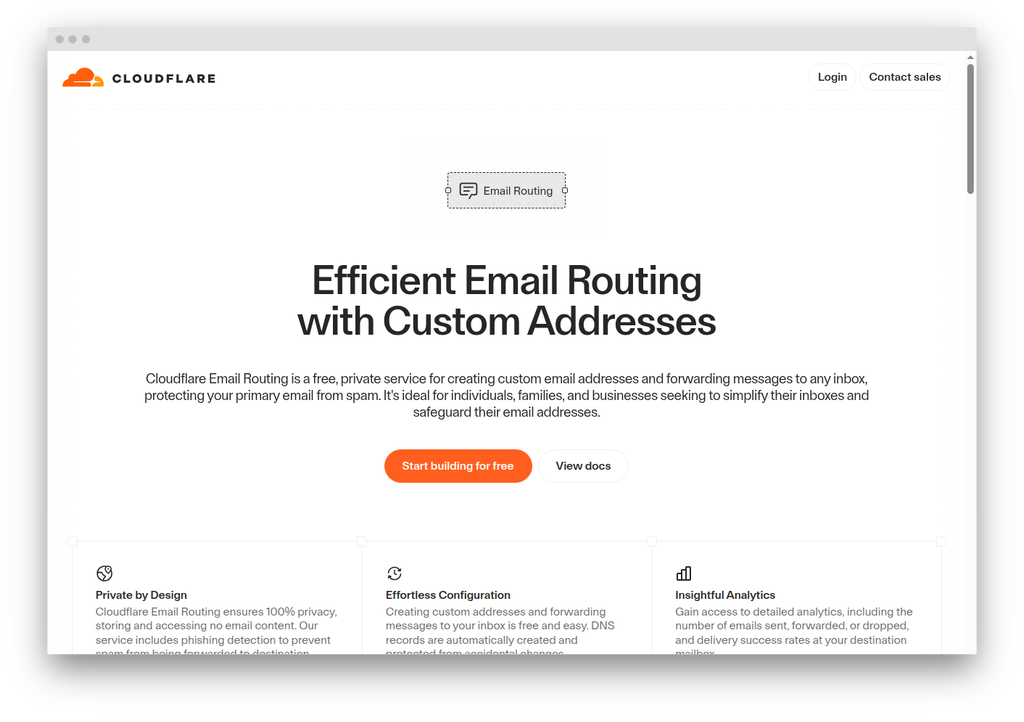
For a WordPress operator whose domain is already on Cloudflare DNS,  Cloudflare Email Routing is the default free choice for inbound forwarding. It is a finished product rather than a beta, it forwards mail to modern inboxes as cleanly as the paid services do, and the only prerequisite is that the domain runs on Cloudflare’s nameservers, which is already true for the audience this piece is written for. Email Routing handles inbound mail only; the outbound counterpart, Cloudflare Email Sending, is a separate, beta-stage product on the Workers Paid plan and is covered below. How that clean delivery is achieved (the rewriting and re-signing the forwarder does on each message) is the subject of How forwarding works.
For an operator whose domain is not on Cloudflare DNS, none of the rest of this review applies and a host-neutral forwarder (ImprovMX, Forward Email, or another from the forwarding services roundup) is the right tool.
Where Cloudflare Email Routing fits in a WordPress stack
A WordPress site’s email surface has two distinct sides. The outbound side, covering wp_mail(), plugin notifications, and WooCommerce order receipts, needs a dedicated SMTP relay like Postmark, SMTP2GO, or Mailgun, wired up through an SMTP plugin. The inbound side is mail addressed to the domain, and it needs somewhere to land. Email Routing handles the second side and only the second side.
This is the same architectural slot occupied by ImprovMX, Forward Email, and the other services in the email forwarding roundup. Cloudflare’s positioning against them is straightforward: if the domain is already on Cloudflare’s nameservers, Cloudflare publishes the MX, SPF, and DKIM records automatically, and the forwarding is free with no per-domain charge. If the domain is not on Cloudflare’s nameservers, none of that applies and a different forwarding service is the answer.
The Cloudflare DNS prerequisite
Cloudflare’s documentation puts this in plain text: “You must be using Cloudflare DNS to use Email Service.” Full Cloudflare nameservers are required. There is no partial-DNS path and no CNAME-setup option of the kind some providers offer for customers who want to retain their existing DNS host.
For a WordPress operator who has already moved DNS to Cloudflare (common given Cloudflare’s free DNS and reverse-proxy bundle), this is no friction. For an operator on a different DNS host who is not interested in moving, Email Routing is not viable, and one of the registrar-neutral forwarders covered in the roundup is the right tool instead.
DNS records
Once Email Routing is enabled for a domain on Cloudflare DNS, three record types are published automatically:
| Record type | Host | Value |
|---|---|---|
| MX | @ |
route1.mx.cloudflare.net |
| MX | @ |
route2.mx.cloudflare.net |
| MX | @ |
route3.mx.cloudflare.net |
| TXT (SPF) | @ |
v=spf1 include:_spf.mx.cloudflare.net ~all |
| TXT (DKIM) | cf2024-1._domainkey |
DKIM public key, k=rsa, h=sha256 |
Cloudflare assigns the MX priorities automatically; the dashboard records the assignment. The SPF include consumes one of the ten DNS lookups SPF allows per  RFC 7208 §4.6.4. If the domain already has an SPF record, typical when a transactional relay is also configured, the
 include:_spf.mx.cloudflare.net mechanism is merged into the existing record before the ~all or -all terminator. Two SPF records on the same host is a configuration error: it produces an SPF permerror, which breaks SPF authentication outright. DMARC can still pass when the message carries an aligned DKIM signature, but the duplicate must be removed regardless.
The DKIM selector cf2024-1._domainkey is the one Email Routing uses to sign forwarded mail with a key tied to the customer’s domain. The matching private key is held by Cloudflare. This is the same delegation model every hosted-email provider uses; the operator does not handle the key material directly.
DMARC is not auto-published. A DMARC record at _dmarc.yourdomain.com is the operator’s responsibility, and p=none with a rua= reporting address is a reasonable starting position for any new deployment.
How forwarding works
When a message arrives for a configured address, Email Routing performs the standard receiving-side authentication checks (SPF, DKIM, DMARC, and any ARC chain present), then rewrites and re-signs the message before delivery to the destination mailbox.
The envelope sender (SMTP MAIL FROM) is rewritten using SRS (Sender Rewriting Scheme) to a Cloudflare-owned forwarding domain. The original sender address is encoded into the rewritten address so that any bounce notification can be routed back. The effect is that SPF checks at the destination mailbox validate against Cloudflare’s infrastructure, which is authorised to send on behalf of the rewritten envelope, rather than against the original sender’s domain, which is not. Without SRS, a forwarded message from [email protected] arriving at Gmail would fail SPF because Cloudflare’s IPs are not in example.com‘s SPF record. SRS is what makes forwarding work in the presence of strict SPF policies on the receiving side.
The From: header itself is not modified. Gmail still shows the message as coming from [email protected], which is what the reader expects.
Two DKIM signatures are then applied. The first signs with a Cloudflare-owned key (email.cloudflare.net) covering the rewriting envelope. The second signs with the recipient domain’s own DKIM key, using the cf2024-1 selector Cloudflare publishes when Email Routing is enabled. The second signature produces a DMARC-aligned DKIM pass at the destination mailbox. That is the property that matters when the original message’s DKIM signature breaks due to header modifications during forwarding.
On top of that, Email Routing applies ARC (Authenticated Received Chain, RFC 8617) signing. ARC preserves a record of the authentication results Cloudflare saw on the incoming message and signs that record with Cloudflare’s ARC key. A receiving mailbox provider that honours ARC (Gmail, Microsoft 365, Yahoo, and others) can use the ARC chain to accept a forwarded message that would otherwise fail DMARC alignment.
Mail forwarded by Cloudflare reaches modern inbox providers with the same fidelity paid forwarding services deliver.
Once Email Routing is enabled, the DNS auth checker reads the domain’s live MX, SPF, and the cf2024-1 DKIM selector as receivers resolve them, so you can confirm Cloudflare has published the records into your zone before you route real mail. When a WordPress SMTP relay is also sending as the domain, the SPF merger folds the relay’s include into your SPF record and counts the DNS lookups against RFC 7208’s ten-lookup ceiling.
Limits
Limits as published by Cloudflare, verified 2026-06-17:
| Limit | Value |
|---|---|
| Domains per Cloudflare zone | 30 (combined for Routing or Sending) |
| Routing rules per domain | 200 |
| Verified destination addresses per account | 200 |
| Inbound message size | 25 MiB |
| Outbound message size (Email Sending) | 5 MiB standard, 25 MiB to verified destinations |
| Recipients per outbound message | 50 (to + cc + bcc combined) |
| Subject line length | 998 characters |
| Combined custom headers | 16 KB |
| Reply References entries | 100 |
The inbound 25 MiB limit is comparable to Gmail’s 25 MB attachment cap and is unlikely to bite in normal operation. The 200-rule-per-domain limit constrains operators who want to model many individual aliases as distinct routing rules; for most WordPress sites, a catch-all rule plus a handful of explicit addresses is well inside that limit.
Email Routing does not publish a daily forwarding-volume cap. Cloudflare’s anti-abuse layer monitors sending reputation and may delay or reject mail from senders on standard RBLs; incoming mail that fails both SPF and DKIM is rejected with an SMTP error rather than being silently dropped.
Custom addresses and catch-all
Routing rules are created in the Cloudflare dashboard one at a time. Each rule matches a literal local part (so [email protected] matches exactly that address) and forwards to one verified destination. Destination addresses are managed at the account level and can be reused across multiple domains and rules; the 200-address account cap is the relevant ceiling for most operators.
Catch-all is a separate, single rule per domain that captures every address not matched by a specific routing rule. Cloudflare’s docs note explicitly that the catch-all handles misspellings: a message addressed to [email protected] when only [email protected] exists is delivered via the catch-all rule. This is the right default for any small domain where someone might typo the address.
What Email Routing does not offer is regex matching, wildcards beyond catch-all, or pattern-based aliasing of the kind a power user might want. Operators who want pattern-based routing have two options: Forward Email, which supports it natively, or a Cloudflare Email Worker, which is code rather than dashboard configuration.
What Cloudflare Email Routing does not do
Outbound sending. Replies to forwarded messages originate from the destination mailbox, not from the Cloudflare domain. A reply sent from a Gmail account that received a forwarded message will leave from the Gmail account’s own address. The Email Sending product covers the outbound side; see below.
Privacy aliasing. Cloudflare offers no equivalent to SimpleLogin’s or AnonAddy’s per-service masked addresses. A user who wants disposable aliases tied to specific signups needs one of those dedicated services.
Storage. Email Routing does not store mail. Messages are forwarded in real time; there is no IMAP, no POP3, no archive, no search. The destination mailbox is the system of record. This is by design: Cloudflare is positioning Email Routing as a transport, not a mailbox provider. Operators evaluating Email Routing against Forward Email or Fastmail should not expect mailbox features.
A path off Cloudflare DNS. The Cloudflare-DNS prerequisite makes Email Routing inseparable from the rest of the Cloudflare stack. Moving DNS to another provider later turns Email Routing off until DNS is moved back.
The Email Sending beta, briefly
Cloudflare Email Sending, the outbound counterpart to Email Routing, is still labelled beta. It exposes three integration paths:
- A Workers binding:
env.EMAIL.send()from within a Worker. - A REST API:
POST /accounts/{account_id}/email/sending/send. - Authenticated SMTP at
smtps://smtp.mx.cloudflare.net:465, using an API token that carries theEmail Sending: Editpermission as the password.
Pricing was published during the 2026 beta. On the Workers Paid plan at $5/month per account, 3,000 outbound messages are included per month and additional messages are $0.35 per 1,000. Sends to verified destination addresses are free on every plan, including a free Cloudflare account with only Email Routing enabled, and those sends do not count against the 3,000 quota. The account-wide cap of 200 verified destination addresses is the ceiling. Sends to any other recipient require Workers Paid and start on a conservative daily quota that scales with sender reputation; Cloudflare does not publish the starting figure. Per-message limits are 5 MiB standard (25 MiB to verified destinations), 50 recipients per message across to, cc and bcc combined, 998 characters in the subject line, and 16 KB in combined custom headers.
That free-to-verified rule opens one narrow WordPress path: a mailer that only ever sends to the site owner’s own inbox, or to a small set of role addresses already verified in Email Routing, has a genuine free-forever transactional route through Cloudflare on any plan. Contact form notifications and single-recipient WooCommerce admin alerts fit that shape. Customer-facing mail (receipts, password resets, marketing) does not, because the recipient list is unbounded and unverifiable. The path is not drop-in for the WP SMTP plugin market either: the SMTP username is the literal string api_token and the password is a Cloudflare API token, not a per-domain credential, and the destination-address constraint is enforced at send time rather than at setup.
For a WordPress site that needs a production transactional SMTP relay for arbitrary recipients today, the mature options (Postmark, SMTP2GO, Mailgun) are still the right answer. Documented sending quotas, established deliverability records, and SMTP credentials that drop into any SMTP plugin. Cloudflare Email Sending will become a real option for that broader use case when it leaves beta and publishes a starting daily quota for new senders; as of late 2026, it is not yet there.
The verdict
For a WordPress operator whose domain is on Cloudflare DNS, Email Routing is the right default for inbound forwarding: free, generally available, authenticated to the standard a paid forwarder runs (SRS, ARC, two-signature DKIM), and integrated with infrastructure the reader is already using. Operators on a different DNS host are not addressable by this product and should look at ImprovMX or Forward Email instead. Email Routing does not solve the WordPress transactional sending problem; that remains a job for a dedicated SMTP relay configured alongside it. Anything else for the inbound side, on Cloudflare DNS, is paid configuration solving a problem Cloudflare already solved for free.
Corrections
- 2026-06-18: an earlier version stated that two SPF records on a domain will fail every DMARC check; duplicate SPF records produce an SPF permerror, but DMARC can still pass on an aligned DKIM signature.
- 2026-09-16: the Email Sending section was refreshed to reflect published pricing ($0.35 per 1,000 messages beyond a 3,000/month allowance on Workers Paid) and to name the specific WordPress path opened by the free-to-verified-destinations rule.