
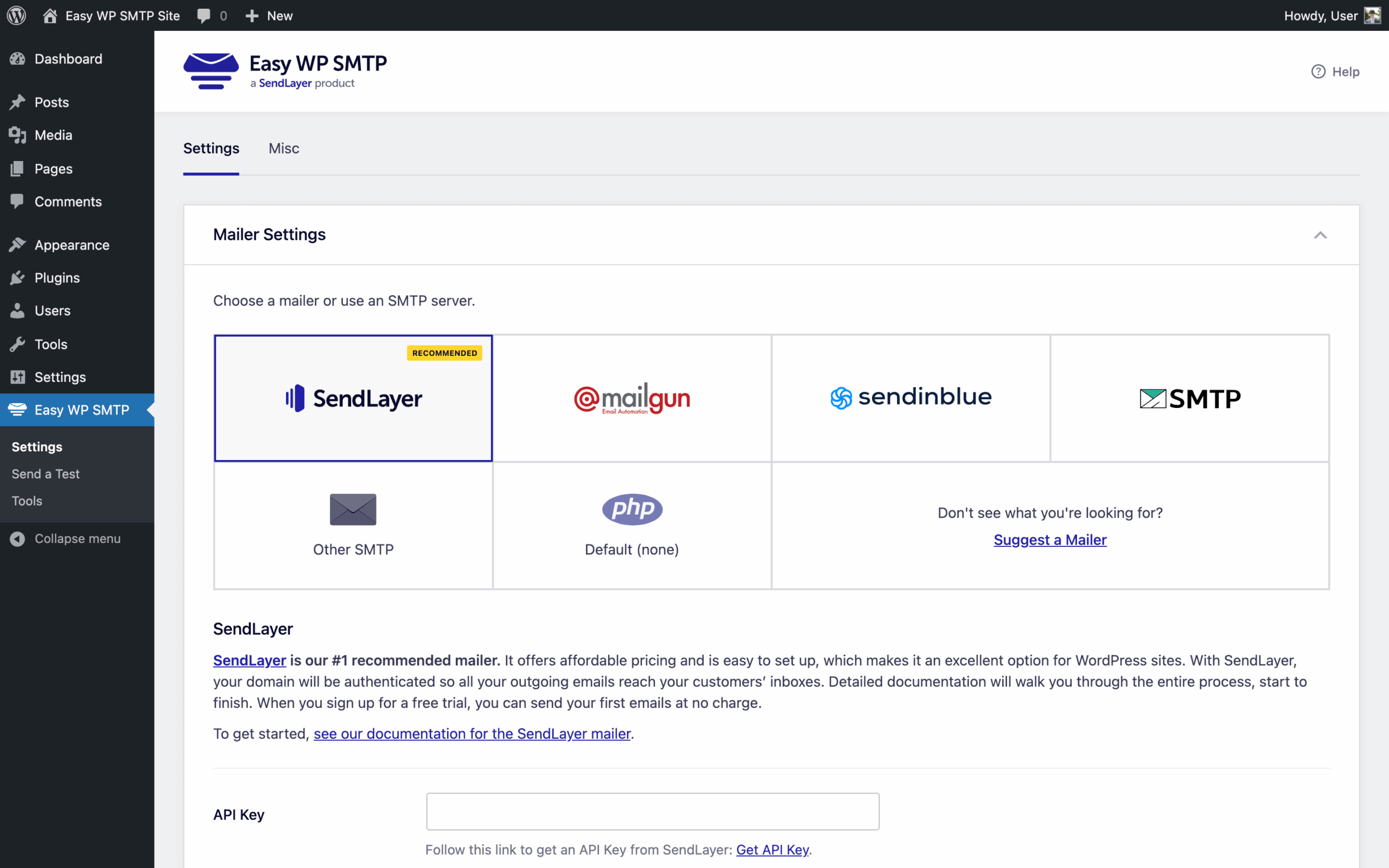
Easy WP SMTP is the smaller of two mailer plugins in the Awesome Motive portfolio. SendLayer, LLC took ownership at some point before 2021: the plugin’s copyright now reads “© 2021-2026 SendLayer, LLC” and the wordpress.org primary author is Syed Balkhi, placing it alongside WP Mail SMTP, WPForms, OptinMonster, and the rest of the WPBeginner-adjacent stack. The active-install count (500,000+) is roughly an eighth of WP Mail SMTP’s. The two plugins solve the same problem and share most of the same supported mailers.
Easy WP SMTP replaces WordPress’s default wp_mail() with authenticated SMTP or a provider API, fixing the silent-failure mode PHP’s mail() produces on shared hosting. The free version is enough for a typical site. The Pro tiers, in their current four-step form, add full email logging, reports, alerts, backup connections, and conditional routing, feature-for-feature comparable to WP Mail SMTP Pro at the same $99 first-site renewal price.
The short recommendation: keep Easy WP SMTP if it is already configured; default to WP Mail SMTP for new installs unless the SendLayer Quick Connect onboarding is the specific reason for choosing.
Free version
The free plugin, version 2.14.0 at the time of writing, includes:
- Setup wizard that walks through mailer selection, credential entry, and a verification email. Closer in flow to WP Mail SMTP’s wizard than to the older Easy WP SMTP 1.x interface.
- SendLayer Quick Connect: a two-click flow that provisions a SendLayer account and configures the plugin to use the parent company’s SMTP/API relay without manual DNS work. Two clicks from install to a working relay; no other mailer plugin in this category currently offers the equivalent. The price is a hand-off into the SendLayer paid funnel.
- Mailer integrations for SendLayer, Brevo, Mailgun, Mailjet, SendGrid, SMTP.com, Postmark, SparkPost, SMTP2GO, Resend, Mandrill, MailerSend, Elastic Email, plus a generic “Other SMTP” option for any SMTP server: thirteen named providers and a generic option. Amazon SES, Gmail / Google Workspace OAuth, Microsoft 365 / Outlook, and Zoho Mail are gated behind the paid tiers.
- Debug Events: a log of failed send attempts, with the error captured for diagnosis. This is failure-only; the full email log (every sent message, recipient, subject, status, timestamp) is Pro.
- From name and email override, optional Reply-To and BCC addresses, and domain check to block sending from the wrong site.
- Test email from the settings page to verify configuration.
The free mailer set is close to WP Mail SMTP’s free version, which exposes fifteen providers in free. The two-mailer gap is small in practice; the providers most WordPress sites reach for are in both.
Pro tiers
Pricing at renewal (introductory first-year price in parentheses):
| Plan | Sites | Renewal | First year |
|---|---|---|---|
| Basic | 1 | $99/year | $49.50 |
| Plus | 5 | $199/year | $99.50 |
| Pro | 10 | $399/year | $199.50 |
| Elite | 50 | $599/year | $299.50 |
All paid tiers ship the same feature set; the price gates site count and, on Elite, priority support. The features that unlock at any paid tier:
| Feature | What it does |
|---|---|
| Email Logging | Records every email sent from WordPress with recipient, subject, status, and timestamp; resend from the log |
| Email Reports | Dashboard chart of sent and failed emails over time |
| Email Failure Alerts | Configurable alerts when a send fails |
| Backup Connection | Falls back to a second configured mailer if the primary fails |
| Smart Conditional Routing | Routes specific emails through specific mailers based on conditions |
| Pro-only mailers | Amazon SES, Microsoft 365 / Outlook, Gmail / Google Workspace, Zoho Mail |
The Pro feature set tracks WP Mail SMTP Pro closely. There are minor differences (WP Mail SMTP Pro also includes Multisite settings and a weekly email report), but for the features a typical WordPress site actually uses, the two Pro tiers are interchangeable.
The Awesome Motive question
Two mailer plugins, same vendor, similar feature sets, similar prices. Why does this configuration exist?
WP Mail SMTP was Awesome Motive’s flagship mailer plugin for years; Easy WP SMTP was acquired separately by SendLayer, LLC, after building an independent 500,000+ install base of its own. Awesome Motive kept both rather than consolidate (merging would force migrations and shed installs), and the two plugins now run as parallel offerings inside the same group.
That leaves the choice to the operator:
- WP Mail SMTP is the larger, more battle-tested codebase. 4M+ installs, fifteen free mailer integrations vs. thirteen here, and a slightly more capable Pro feature set. It is the safe default for a new install, including one that intends to use SendLayer as the relay; SendLayer is a native mailer in WP Mail SMTP too. The trade-off is more aggressive admin-area upselling, which is the standard objection to it.
- Easy WP SMTP is the simpler interface and the cleanest SendLayer onboarding (Quick Connect is the genuine differentiator). For an operator who wants the fastest path from “install plugin” to “WordPress is sending through SendLayer”, this is it. Existing Easy WP SMTP users gain nothing material by migrating to WP Mail SMTP; the configurations are similar and both plugins are maintained.
For sites with no commitment to either, the broader free mailer support of WP Mail SMTP is the tiebreaker. For sites already standardised on Easy WP SMTP, the right move is to keep using it.
Assessment
Easy WP SMTP works. It is maintained, the setup wizard does what it says, the free mailer list covers the providers a typical WordPress site reaches for, and SendLayer Quick Connect is a real ergonomic improvement on the manual API-key-and-DNS flow that most relay providers require. The SendLayer-era release cadence has not visibly degraded the plugin; if anything, it has picked up.
The reason nanoPost defaults to WP Mail SMTP rather than Easy WP SMTP for a new installation is straightforward: WP Mail SMTP has more free mailers, a larger installed base (and therefore faster discovery of edge-case bugs), and a slightly more capable Pro feature set, at the same vendor and the same price point. Easy WP SMTP is not a worse plugin so much as a smaller-footprint sibling within the same product family.
For an operator who already has Easy WP SMTP configured and working, switching is busywork without payoff. For an operator deliberately standardising on the SendLayer relay, the Quick Connect flow is reason enough to install Easy WP SMTP over a generic mailer plugin. Outside those two cases, WP Mail SMTP is the more practical default.
For operators who object to Awesome Motive’s upselling pressure on either plugin, FluentSMTP is the open-source alternative (full email logging in the free version, no Pro tier, no admin nag) and works with SendLayer and every other major relay through standard SMTP credentials.
For the broader setup the plugin slots into, see how to set up WordPress email.
Plugin data verified June 2026 against  wordpress.org/plugins/easy-wp-smtp and
  easywpsmtp.com/pricing. Ownership and trademark per the easywpsmtp.com copyright notice. Awesome Motive group context per WPBeginner / Syed Balkhi public attribution.