
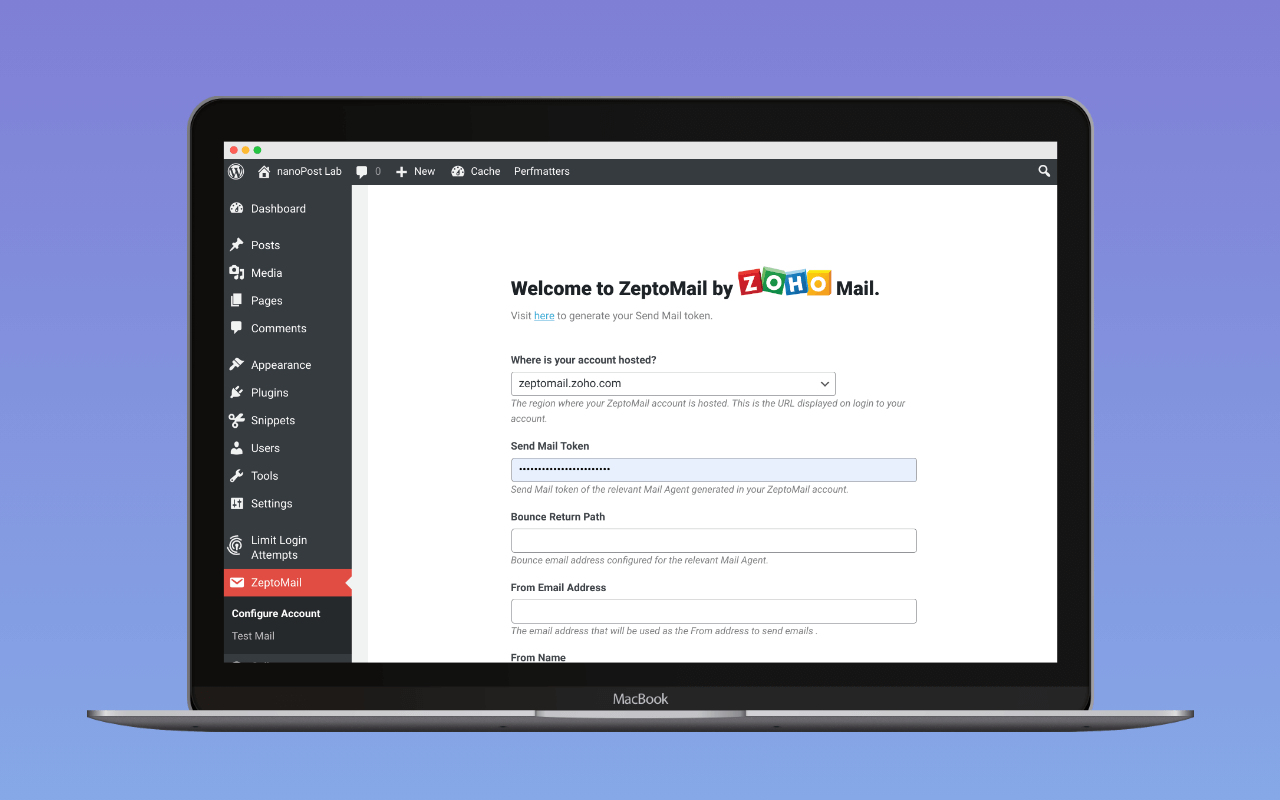
Zoho ZeptoMail is the official WordPress plugin for Zoho’s Zeptomail A transactional email is the automated message a WordPress site sends in response to a single user action – a password reset, an order confirmation, a form receipt – addressed to the user who triggered it. Read full reference → service. It is a single-vendor mailer: it routes every outgoing wp_mail message to Zeptomail’s HTTPS API using a Send Mail token issued from a Zeptomail Mail Agent. It is not an SMTP client and does not connect to anything other than Zeptomail.
The current version is 3.3.4, released 2026-09-28 and tested up to WordPress 7.1. Its installed base is small next to the leading multi-provider mailers (WP Mail SMTP, FluentSMTP). The listing’s stated PHP minimum of 5.6 (end-of-life since December 2018) is almost certainly a stale requires_php value rather than a live support floor.
The wp.org slug is transmail, a relic of the service’s original name. The plugin kept the original slug so existing installs would keep updating.
The short recommendation: this plugin is the right choice for a WordPress site that sends through Zeptomail and has no other mailer plugin installed. A site that already runs FluentSMTP, WP Mail SMTP, or Post SMTP can point that plugin’s generic SMTP option at smtp.zeptomail.com; none of the three has a dedicated Zeptomail connection. The vendor plugin is the better path for such a site when the host blocks outbound SMTP ports but permits outbound HTTPS.
API, not SMTP
Most WordPress mailer plugins offer two transport choices per provider: a generic SMTP option using the provider’s relay credentials, and a native option that calls the provider’s HTTPS API. The vendor plugin only does the second. There is no SMTP fallback.
For a Zeptomail user this is the right design choice. The HTTPS API works on hosts that block outbound SMTP ports 25, 465, and 587, which describes most managed WordPress hosting. It carries the same authentication token regardless of the From address. And it returns a structured response that the plugin uses for failure logging and retry, which a raw SMTP transaction does not.
The cost is the usual one for vendor-API plugins: if Zeptomail’s API endpoint is unreachable, the plugin cannot fail over to SMTP. There is no second transport. A site that needs that kind of redundancy should be running a multi-provider mailer with a fallback connection, not a vendor plugin.
What the plugin includes
Each item below is in the free plugin. There is no paid tier.
- API connection to Zeptomail, authenticated with a Send Mail token generated from a Mail Agent in the Zeptomail console. The token is region-scoped, so the plugin’s first configuration step is selecting the Zeptomail data centre region for the account; the Zeptomail service review lists the available regions. Once the sending domain is verified in Zeptomail, run the DNS auth checker with the return-path host in its return-path field and your DKIM selector in its selector field. It reads how both resolve from the receiver’s perspective, so a stale nameserver or a mistyped selector shows up before the failed-email log fills up in production.
- Multiple Mail Agent configurations, added in version 3.2.0. A single WordPress install can hold tokens for several Mail Agents (typically one per sending domain) and route messages between them. The behaviour parallels FluentSMTP’s “multiple connections”: one set of credentials per logical sender, routed by from-address. Since version 3.3.4, a message whose From address matches no configured agent keeps that address and is sent with the default agent’s token; earlier versions replaced it with the default agent’s address.
- Failed-email log with a configurable cap and automatic rotation. Only sends that the Zeptomail API rejects with an error are recorded, with enough detail to identify the message and the error the API returned. A send that never reaches the API, such as one that times out, is not logged. The log limit can be set from 1 to 100 entries; the plugin removes the oldest entries when the log exceeds that limit.
- Retry from the log. Failed messages can be re-queued from the admin screen.
- From Name and From Email Address defaults set per agent, applied when WordPress core or a plugin sends mail without specifying either.
- Default email format selector (HTML or plain text) for messages that do not specify their own.
- Test email button to verify configuration against the configured agent and token.
The configuration surface is a single settings screen under Settings → Zoho ZeptoMail, which is enough for a single-vendor plugin.
What the plugin does not include
Several things a reader might expect from a multi-provider mailer are absent, by design:
- No OAuth. Zeptomail is a token-authenticated API; there is no Google or Microsoft identity to hand off to. The absence of OAuth in this plugin is not a feature gap, it is a consequence of the underlying service.
- No connections to other providers. A site that wants to send some mail through Zeptomail and other mail through Amazon SES needs a multi-provider mailer, not this plugin plus another.
- No fallback connection. If the Zeptomail API is unreachable, the send fails and no log entry is written, so there is nothing to retry from the admin screen. There is no second connection to try.
- No background queue. Mail is sent synchronously inside the PHP request that invoked
wp_mail. Sites that send bursts large enough to trip PHP timeouts will see the same behaviour they would on any other non-queueing mailer plugin; the fix is provider-side throttling or a queueing plugin in front of the mailer, not this plugin. - No Pro tier and no upsell. The admin area is free of “upgrade to Pro” prompts because there is no Pro edition to sell.
The vendor-plugin question
A WordPress site that has decided on Zeptomail has two reasonable options for getting mail there: install Zoho’s plugin, or configure Zeptomail’s SMTP relay as a connection inside an already-installed multi-provider mailer.
The vendor plugin is the right call when:
- The site has no other mailer plugin installed and is committed to Zeptomail as its only sending service.
- The operator prefers to keep the WordPress install minimal and is comfortable with the vendor-controlled update cadence.
- Multi-Mail-Agent routing (added in 3.2.0) covers the site’s routing needs and a second provider is genuinely not on the roadmap.
A multi-provider mailer with a Zeptomail SMTP connection is the right call when:
- The site is already running FluentSMTP, WP Mail SMTP, or Post SMTP on a host that allows outbound SMTP. Stacking the vendor plugin on top adds a second handler in the
wp_mailpath and a second admin screen with no upside. - The operator wants a fallback connection through a second provider (Postmark, Brevo, Amazon SES) for the case where Zeptomail is briefly unreachable.
- The operator wants a richer admin experience, full-send logging rather than failed-only, or any of the alerting integrations (Slack, Discord, Telegram) that the multi-provider mailers offer.
The free feature gap between the vendor plugin and a multi-provider mailer is significant in the second case and irrelevant in the first. The decision is not which plugin is better; it is which one matches the site’s existing setup.
Assessment
The Zoho ZeptoMail plugin is competent at the narrow job it does. It routes wp_mail to the Zeptomail API, logs the failures the API reports, and retries them on request. The recent 3.2.0 addition of multi-Mail-Agent support closes the last meaningful gap with the multi-provider mailers for sites that send from more than one domain through Zeptomail.
For a site that is committed to Zeptomail and only Zeptomail, the vendor plugin is the cleanest path: one plugin, one transport, no surface area for a Pro upsell. For a site that already runs FluentSMTP or another multi-provider mailer, the right answer is usually to point that mailer’s SMTP option at Zeptomail and skip this plugin. The exception is a host that blocks outbound SMTP ports but permits outbound HTTPS; this plugin can send through its API in that case.
The Zeptomail service review covers the underlying service in detail: pricing, deliverability posture, the transactional-only policy, and the trade-offs against other transactional providers. That review is the better starting point for a reader who has not yet decided on Zeptomail. This page is for the reader who has.
For the broader setup the plugin slots into, see how to set up WordPress email.
Plugin data verified 2026-08-11 against the  wordpress.org listing and the
 Zeptomail product documentation. Version 3.3.4, released 2026-09-28, verified 2026-11-09 against the wordpress.org listing and the 3.3.3-to-3.3.4 source diff; wp.org display name is “Zoho ZeptoMail” and the slug is still
transmail. Failed-send logging verified 2026-11-10 against the 3.3.4 source (transMail.php). transmail remains the canonical Zoho mailer plugin for general WordPress; zeptomail-woocommerce covers the WooCommerce-specific integration and zoho-mail is a separate product for Zoho’s own inbox service. The review reflects documentation and listing analysis; the plugin was not installed for this rewrite.
Corrections
- 2026-11-02: an earlier version said FluentSMTP, WP Mail SMTP, and Post SMTP each ship a Zeptomail connection. None of them does; each reaches Zeptomail through its generic SMTP option.
- 2026-11-05: an earlier version said the WP mail config generator took the Send Mail token, region and sender address and returned a block for this plugin’s settings screen. The generator does not offer this plugin as a delivery method.
- 2026-11-10: an earlier version listed full email logging in the plugin’s spec table and said a send that cannot reach the Zeptomail API goes to the failed-email log. The plugin logs only sends that the API rejects with an error; a send that never reaches the API is not logged.