
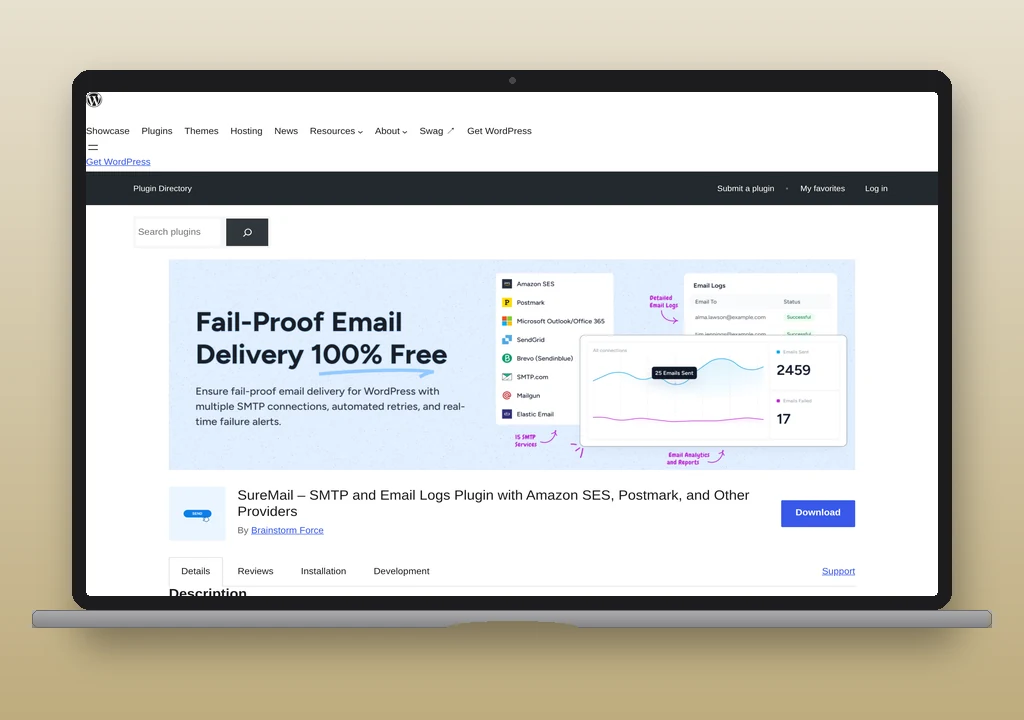
SureMail is a free WordPress mailer plugin from Brainstorm Force, the company behind the Astra theme. It connects WordPress to a sending service, logs what goes out, and tries a backup connection when the first one fails. All of that is free, because there is no paid tier. It has reached 200,000-plus active installs since its wordpress.org listing in January 2025.
nanoPost recommends it for a site that needs failed mail to try again with nobody at the keyboard, wants more than one backup, or connects to Zoho Mail, Mailjet or MailerSend and wants a native connection. FluentSMTP does none of those three. For most other sites nanoPost’s free pick stays FluentSMTP, because version 2.4.5 connects Microsoft 365 over OAuth, encrypts stored credentials, and has failure alerts built in.
The listing calls SureMail “fail-proof”. We read the code for version 2.0.3, and it is more modest than that. A backup only covers mail whose From address matches the connection it protects, a failed message gets one retry, and two of the log retention settings do not do what they say. None of the three rules the plugin out, but each changes how you should set it up.
What the free plugin includes
SureMail ships fifteen named mailers: Amazon SES, Brevo, Elastic Email, Emailit, Gmail / Google Workspace, Mailgun, MailerSend, Mailjet, Netcore, Postmark, SendGrid, SMTP2GO, SparkPost, SureContact and Zoho Mail. Generic SMTP and PHP mail sit alongside them. The named mailers talk to each provider over HTTPS rather than SMTP, so they keep working on a host that blocks SMTP ports. Gmail and Zoho Mail use OAuth, a sign-in that replaces a stored password, with a client ID and secret you create in your own Google or Zoho account.
Microsoft 365 is the gap. The plugin contains an Outlook connection, but 2.0.3 marks it as not yet available. A site that sends from a Microsoft 365 mailbox can only try the generic SMTP connection, which signs in with a username and password. Whether that works depends on the tenant:  Microsoft’s documentation says SMTP AUTH is off where security defaults are on, and it can be set per organization and per mailbox. It also has a short life.
 Microsoft’s revised timeline turns password sign-in for SMTP AUTH off by default on existing tenants at the end of December 2026.
Around the mailers sit an email log with resend, a test send, a dashboard of delivery counts, and a simulation mode that logs messages without sending them, which suits a staging copy of a live site. A weekly summary goes to the site’s admin email address on Mondays unless you turn it off. There is no importer from other mailer plugins, no WP-CLI command set, and no network settings for multisite.
Before you activate it
SureMail takes over sending by defining its own version of wp_mail(), the function WordPress and plugins send through. WordPress allows only one version, and SureMail steps aside silently if another plugin got there first. If you leave an old mailer plugin active, SureMail can look fully configured while its log stays empty, because the other plugin is doing the sending. FluentSMTP shows an admin warning in the same situation. Deactivate the old plugin first.
Developers have one more thing to check. Once a connection is set up, SureMail never fires phpmailer_init, the hook that custom code uses to adjust outgoing mail. The hook only runs on its fallback to WordPress’s default sender, so a snippet that adds a header or signs messages through phpmailer_init stops working without an error. FluentSMTP fires the hook.
How the backup connection decides
Each connection has its own From address, the address recipients see the mail coming from. When WordPress sends a message, SureMail looks for connections whose From address matches the message’s (the comparison ignores case), and tries them in priority order. If none matches, it uses the default connection, followed by any others that share the default’s From address.
The rule makes routing by sender possible: [email protected] can go through Postmark while [email protected] goes through Brevo. It also means a backup has to carry a matching From address, so two senders with failover need four connections.
Say the primary connection is Postmark, sending from [email protected], and the backup is Amazon SES, sending from [email protected]. If Postmark fails, SES is never tried, and the message goes to the retry instead. The vendor’s  documentation does say backups work per From address. The listing’s wording leaves that out.
Give both connections the same From address, and authenticate that domain with both providers. For that pair, the domain carries  Postmark’s DKIM (DomainKeys Identified Mail) is a cryptographic signature attached to each outgoing message, verifiable against a public key published in DNS. It lets receivers confirm the message was not altered in transit and originated from a server the domain authorised to sign on its behalf. Read full reference → TXT record and Return-Path CNAME, plus the
 three DKIM CNAMEs SES generates. Each sits at its own hostname, and Postmark says its records do not affect other DNS records or sending by other methods. Once they are in, the DNS auth checker reads how they resolve from a receiver’s side, so a mistyped selector shows up before the day you need the backup.
“Fails” here means the provider refused the message or could not be reached. Every provider handler in 2.0.3 counts a successful API response as sent, and the plugin has no route for taking in bounce reports, so a message Postmark accepts and the recipient’s server later rejects never reaches the backup. Attempts run inside the page request that sent the mail, because there is no background queue, so a visitor waits through each one. The generic SMTP connection has a 5-second timeout.
What happens when every connection fails
When the last connection fails, wp_mail() reports failure to whatever called it, and SureMail schedules one retry 30 minutes later. The retry runs through WP-Cron, WordPress’s task scheduler, which only fires when something loads the site or a real cron job calls it. The retry goes through the connections again. If that fails too, the plugin stops, and nothing tells the site owner unless they check the log or have connected OttoKit (formerly SureTriggers), a separate Brainstorm Force automation product. OttoKit’s  free plan covers 250 tasks a month.
The vendor’s home page says SureMail retries failed emails “until they’re delivered”. The code caps it at one retry, as the auto-retry documentation also says, and after that the only option is pressing Resend in the log. Even so, one automatic retry is more than FluentSMTP has: its failed mail waits for someone to resend it from the log.
A contact form may tell a visitor the message failed, and the message may then arrive half an hour later because the retry worked. The retry also reads from the log, so turning logging off turns the retry off.
What it stores, and what leaves the site
Usage analytics stay off unless you opt in. Four other things need a decision.
API keys are encoded, not encrypted
The plugin’s encrypt() function is base64, which anyone can reverse without a key. Provider credentials sit in the WordPress options table in that form, and there is no wp-config.php constant to keep them out of the database. A person who can read that option in a database backup can decode the stored values. FluentSMTP encrypts connection secrets with OpenSSL and accepts credentials as constants. If database backups leave the server, restrict the key’s permissions at the provider.
The log keeps full messages
Logging is on by default and stores the body and headers, which includes password reset links while they are valid. Retention defaults to 30 days. The settings screen also offers 60 and 90 days, but the 2.0.3 cleanup code does not recognise either value and falls back to 30, so a site that picks 90 days for an audit trail still loses messages at 30. The code knows 365- and 730-day values that the screen does not offer, so the two have drifted apart. We found this by reading the code, not by waiting 31 days. The settings that work are 1, 7 and 30 days, or Never. Never means full messages stay in the database until someone deletes them, and the table keeps growing. A site with no audit need is better served by 7 days.
Attachments are copied into the uploads folder
SureMail duplicates attachments there, and that copying was the centre of  CVE-2025-13516, a flaw rated CVSS 8.1 in versions up to 1.9.0: any public form that emailed attachments could put a file in a web-accessible folder under a predictable name, and PHP could run there on servers that ignore
.htaccess, such as nginx. Version 1.9.1 shipped in November 2025 with a security fix credited to Wordfence. Current code only copies an allow-list of images, PDFs and text files, checks each file’s real type, and adds a random string to the name. Other types, such as .docx or .zip, still go out with the original message but are not kept, so a resend from the log cannot include them. A site on 1.9.0 or older needs the update.
Reputation Shield sends email text to an outside service
This optional feature screens outgoing mail for harmful content and blocks what gets flagged. It is off by default, and setup offers it during onboarding. When on, it posts a message’s subject and text to credits.startertemplates.com, a Brainstorm Force address, unless identical content has already been checked, and the vendor’s documentation says the scanning uses OpenAI’s moderation technology. The onboarding screen says only that it validates emails “with AI”. If that call fails, the message counts as not flagged and sends. A flagged message is blocked and logged, with no retry, which on a store means an order confirmation can stop there. Leave it off on a site that emails personal data, unless you have decided that data may go to a third party.
How a free plugin pays for itself
SureMail has no Pro version, and the vendor’s site says “Pay only for your SMTP service.” The commercial route runs through the rest of the Brainstorm Force catalogue. The first mailer in the list is SureContact, the company’s own sending service, which the plugin describes as needing “no API keys, no DNS, no credit card”. It includes 100 lifetime free sends, or 3 until you verify your account email. The vendor’s documentation does not say what domain that first mail goes out under; its home page says a wizard gives you SPF (Sender Policy Framework) is a DNS TXT record that lists the servers allowed to send mail using your domain. Receivers compare the sending IP to that list and use the result as one input to their accept/reject decision. Read full reference →, DKIM, Return-Path and MX records for your own domain, and that is the setup to use for anything real. Paid plans and credit packs appear on an in-plugin upgrade screen, with no SMTP plan prices on suremails.com. A dashboard banner promotes SureContact to sites that have not connected it and returns 15 days after you dismiss it, and the weekly summary carries cards for other Brainstorm Force products.
SureMail against FluentSMTP and the alternatives
Your provider goes down for an hour and nobody is watching
SureMail is the better fit, with a chain of backups and an automatic retry. FluentSMTP has one fallback connection for the whole site. Its fallback does not need a matching From address, though: it rewrites the message to the fallback’s sender, so it is the easier one to set up correctly.
You run a site on Microsoft 365, or want alerts without another product
FluentSMTP 2.4.5 sends through Microsoft 365 over OAuth and has failure alerts for Telegram, Slack, Discord and Pushover built in. It has also been on wordpress.org four years longer, and has 700,000-plus installs to SureMail’s 200,000-plus.
You are choosing between free and paid
SureMail includes logging, a backup connection and Amazon SES, which WP Mail SMTP 4.10.3 keeps for Pro. If you want one-to-one email support, Pro offers it, and SureMail has no paid plan that would.
You want no upsell at all
Meow Mailer 0.3.4 has no paid tier either, and adds Microsoft 365, an importer, webhook alerts and optional credential encryption. It has 1,000-plus installs, and no routing by sender.
Verdict
SureMail’s failover is real, within the From-address rule, and its automatic retry is something FluentSMTP does not offer. Choose it if that retry, a chain of backups, or a native Zoho Mail, Mailjet or MailerSend connection matters to your site and you do not need Microsoft 365.
Set it up with care: deactivate any other mailer plugin first, give backups the same From address as the primary, leave logging on so the retry works, pick 1, 7 or 30 days for retention unless you need an archive, and connect OttoKit or check the log, because nothing else will tell you about mail that failed twice. Leave Reputation Shield off on a site that emails personal data.
If you need Microsoft 365, want credentials encrypted or held in wp-config.php, or want alerts without a second product, FluentSMTP 2.4.5 has all three. The best WordPress SMTP plugins roundup sets out the wider field.
Plugin data verified November 2026 against  wordpress.org/plugins/suremails and suremails.com. Behaviour described here comes from reading the SureMail 2.0.3 and FluentSMTP 2.4.5 source, and the WP Mail SMTP 4.10.3 and Meow Mailer 0.3.4 readmes. We did not run live sends.